Eventuate : Implementing transactional outbox pattern
In this blog, we will discuss a well-known design pattern (transactional outbox) and a highly effective framework that implements it.
Eventuate
Hello 😀, In the last blog, we explored the Axon framework. In this blog, we will delve into another powerful framework called Eventuate.
You can find the source code for this blog here
Similar to the Axon framework, Eventuate is a platform designed for developing asynchronous microservices, leveraging the event sourcing model and the Command Query Responsibility Segregation (CQRS) pattern.
Eventuate offers two primary products:
-
Eventuate Local: Emphasizes event sourcing programming and a persistence model, aligning closely with the Axon framework's approach.
-
Eventuate Tram: Tailored for microservices performing CRUD operations via JPA/JDBC, showcasing Eventuate's versatility in supporting different operational needs.
We used Eventuate only for choreography and focused on a common problem, which we will discuss in the next section.
The problem of atomically updating the database and publishing message
In the world of microservices, where different parts of an application communicate independently, there's a common challenge: making sure that when something changes in the database, everyone who needs to know about it gets the message.
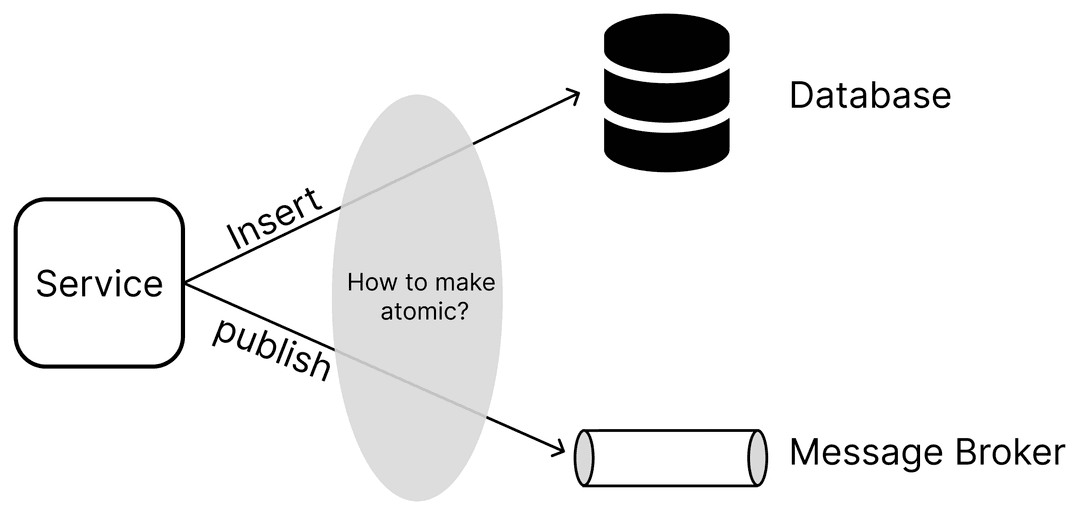
Imagine you're running an online store. When someone places an order, two things need to happen: the order needs to be recorded in the database, and a message needs to be sent out so other parts of the system know about it. Now, if one of these things fails while the other succeeds, it's like having half a story. For instance, if the order gets into the database but the message doesn't get sent, it's like whispering in a room but not everyone hears it. On the other hand, if the message goes out but the order isn't recorded properly, it's like telling everyone there's a party when there isn't one planned.
The central question becomes: How can we ensure that updating the database and sending messages occur atomically? In essence, if the database transaction successfully commits, the associated messages should be dispatched. Conversely, if the database transaction is rolled back, those messages must not be sent.
The way to solve this problem is by using something called the "Transactional Outbox" pattern. It's a well-known method that helps make sure that when we update the database and send messages, we do it in a way that's reliable and consistent.
Transactional outbox
The Transactional Outbox pattern is a well-established technique used to achieve atomicity when updating a database and dispatching messages. At its core, it revolves around the concept of an "outbox" – a designated container where messages are stored until it's safe to send them out.
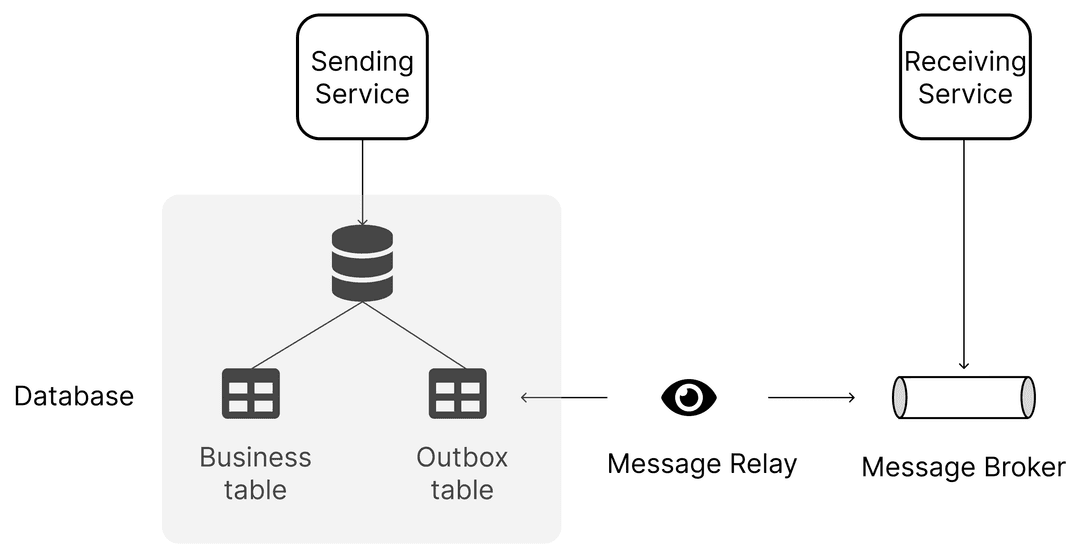
When a transactional operation, such as updating a database record, occurs, a corresponding message describing the operation is placed into the outbox. This ensures that if the database transaction commits successfully, the associated message is ready to be dispatched. However, if the transaction is rolled back due to failure or any other reason, the message is discarded, preventing any unintended communication.
-
When a service needs to perform an operation that involves interacting with the database, such as inserting, updating, or deleting records, it initiates a database transaction.
-
During this transaction, if the operation is successful, the service also adds an event or a message describing the operation to the outbox table.
-
This message represents the intent to communicate this database change to other parts of the system.
-
Since the outbox is within the same database that the service interacts with, the addition of an event to the outbox occurs within the same transactional context as the database operation.
-
This ensures atomicity – either both the database operation and the event addition succeed and are committed together, or neither of them does.
-
In other words, they are part of the same transaction and are treated as a single unit of work.
-
After the database transaction successfully commits, the messages stored in the outbox are ready to be relayed to other parts of the system, typically via a message broker.
-
A separate component, often referred to as the "message relay" or "outbox processor," periodically reads the events from the outbox table.
-
Upon reading each event, the message relay dispatches it to the designated message broker or messaging system for further distribution to interested consumers or services.
Eventuate addresses the issue we've just discussed by ensuring the reliable transmission and reception of messages and events within a database transaction, achieved through the utilization of the Transactional Outbox pattern.
SAGA Implementation with Eventuate Framework
Eventuate employs the Transactional Outbox pattern. Within this framework, a message producer integrates events into an OUTBOX table concurrently with the ACID transaction responsible for data updates, such as those involving JPA entities. Subsequently, a distinct message relay, also known as the Eventuate CDC service, disseminates these messages to the message broker.
To understand Eventuate, we have worked on a simple application that consists of two services:
-
Customer Service: Manages customers, each of whom has a limited amount of money that they can use to place orders.
-
Order Service: Manages orders, each identified by an ID and a state (which could be PENDING, APPROVED, REJECTED, or CANCELED), along with the ID of the customer who placed the order and the total amount of money that the customer must pay.
In this example, choreography-based sagas are employed, utilizing domain events to orchestrate actions. At each stage of the saga, the local database is updated, and a domain event is broadcast. Subsequently, an event handler processes the domain event, executing the subsequent local transaction.
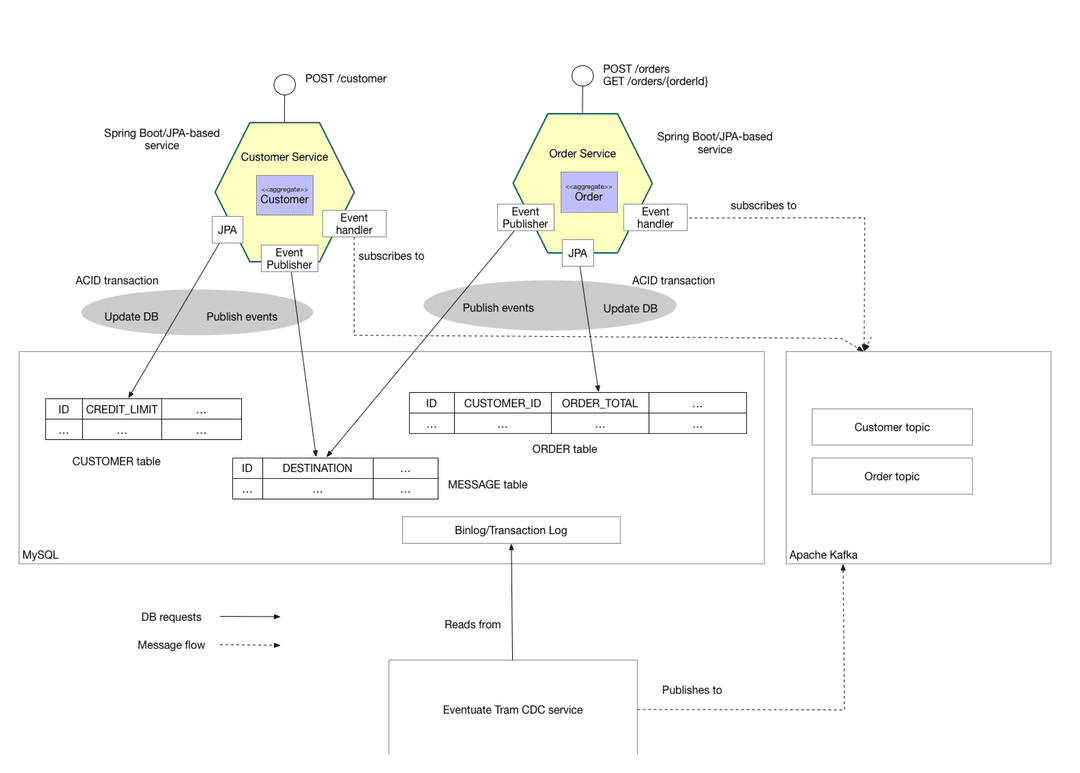
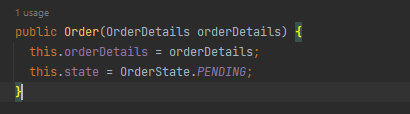
- The Order Service generates an Order with a status of PENDING and broadcasts an OrderCreated event.

- Within the ACID transaction that modifies the JPA entity, Eventuate inserts events into the MESSAGE table which in our case the Outbox table.
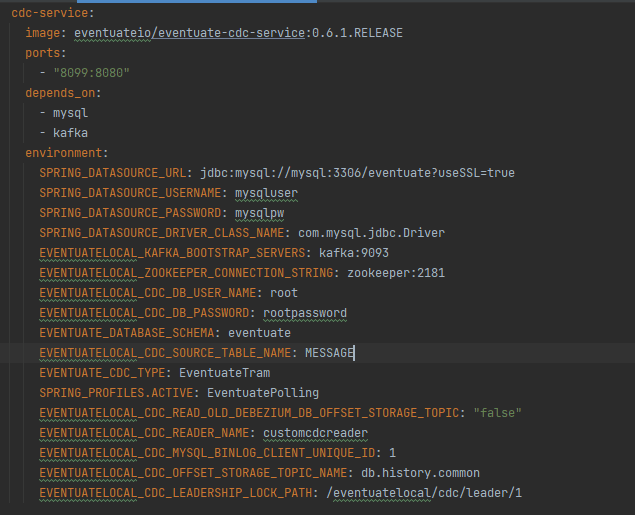
First, we configure the Change Data Capture (CDC) service to listen to the MySQL database we are using, as well as the table where events emitted by the application should be stored.
We injecte domainEventPublisher provided by Eventuate that allows emitting events and automatically store them in the "Outbox" table named "Message" in our case.

Now we create an order and emit an event corresponding to the creation of an order. Automatically, this event will be stored in the "Message" table and then redirected to Kafka via CDC.
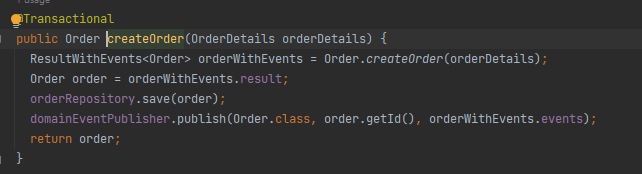
This operation is considered transactional because it involves interacting with the same database.
-
Utilizing Eventuate CDC, the system monitors inserts into the MESSAGE table and dispatches messages to Apache Kafka.
-
The Customer Service receives the event attempts to reserve credit for that Order. It publishes either a Credit Reserved event or a CreditLimitExceeded event.
We define a listener in the customer service, each time it receives an event, it executes the corresponding operation.
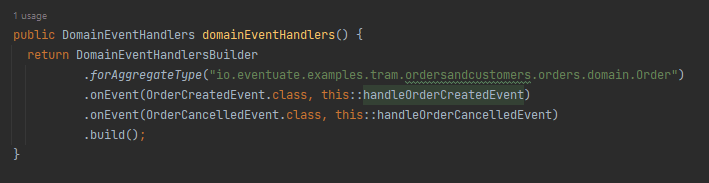
- Subsequently, the Order Service processes the event and changes the order's status to either APPROVED or REJECTED.
Let’s do a test on our application.
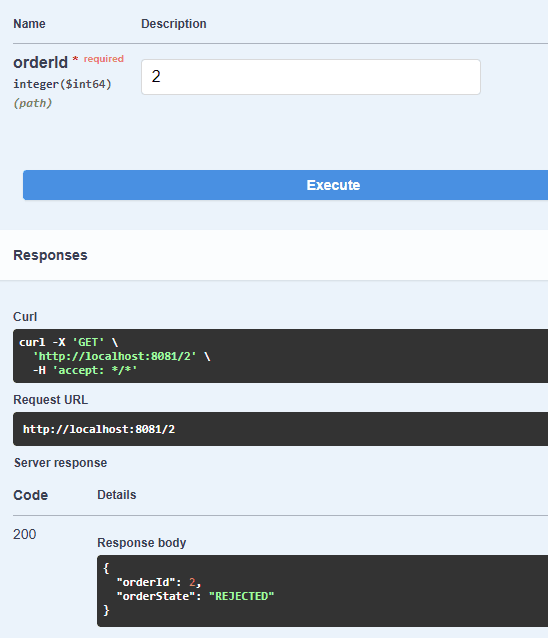
We see that the order has been rejected because the customer has only 2 pieces of money left.
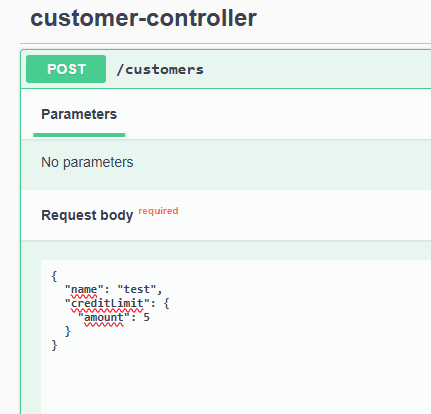
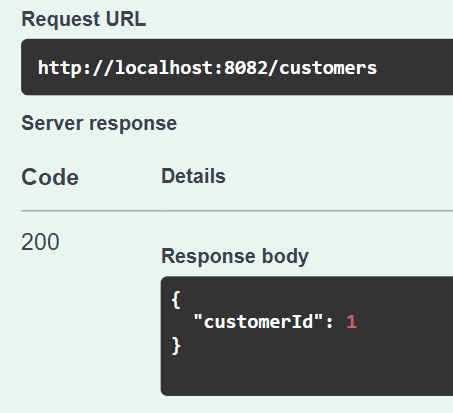
A customer was created with id 1.
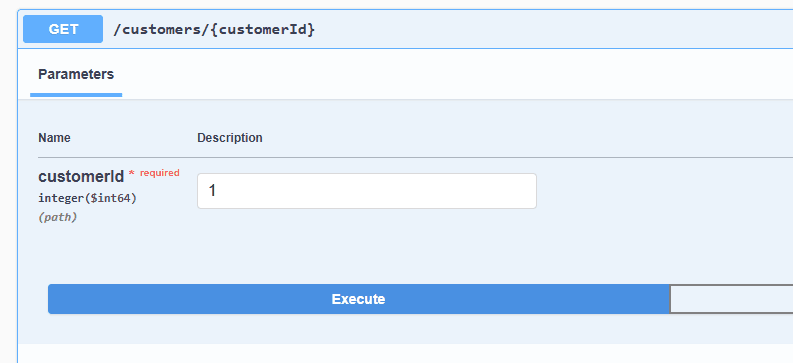
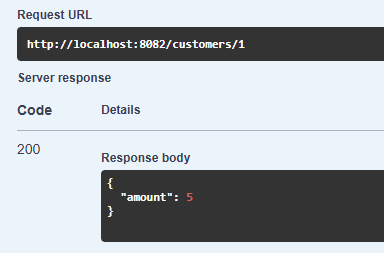
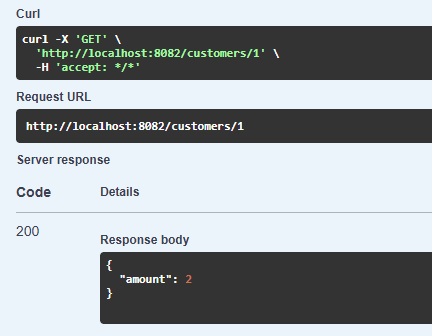
Upon checking the customer's current balance, we confirm it is 5 units.
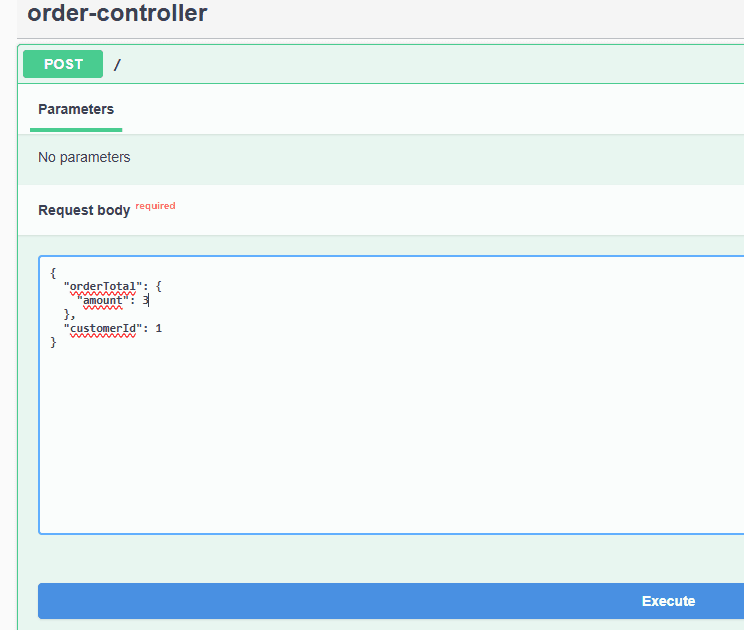
Next, we create an order for this customer (ID 1) with a total amount of 3 units.
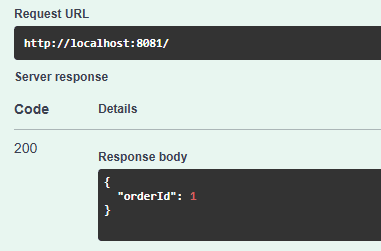
The order was created with id 1.
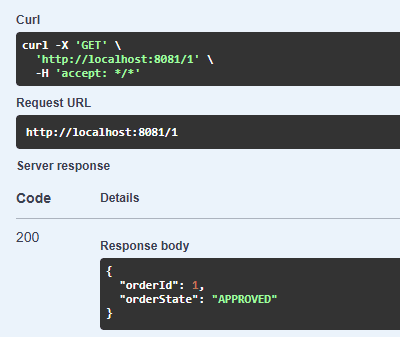
When we check the order's status, we find that it has been approved, which is expected since the customer's balance of 5 units exceeds the order amount of 3 units.
Verifying the customer's balance again, we notice that it has decreased by 3 units, reflecting the amount of the order.
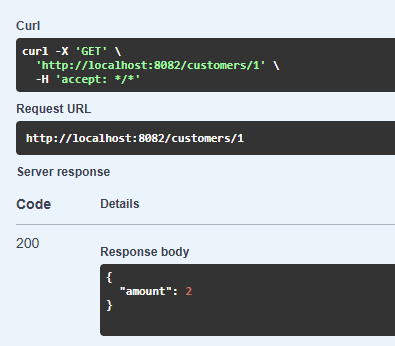
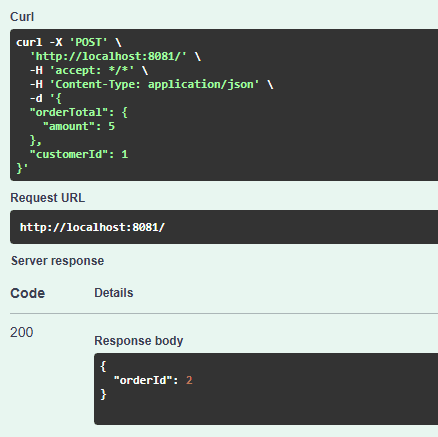
We then attempt to create another order for the same customer, this time with an amount of 5 units.
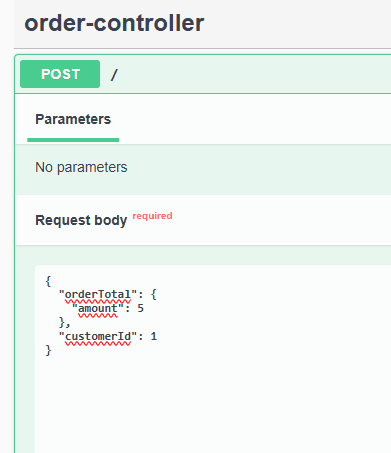
However, this order is rejected because the customer's remaining balance of 2 units is insufficient to cover the order amount of 5 units.
Despite the second order, the customer's balance still remains at 5 units.
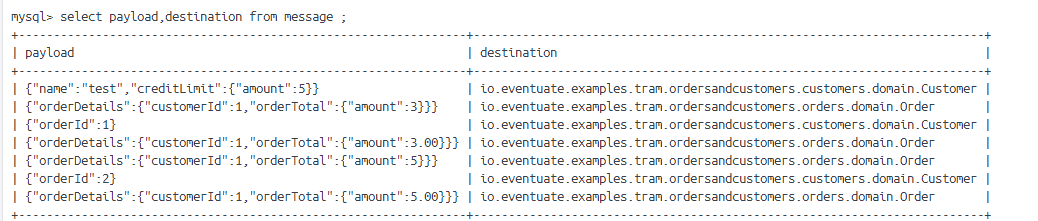
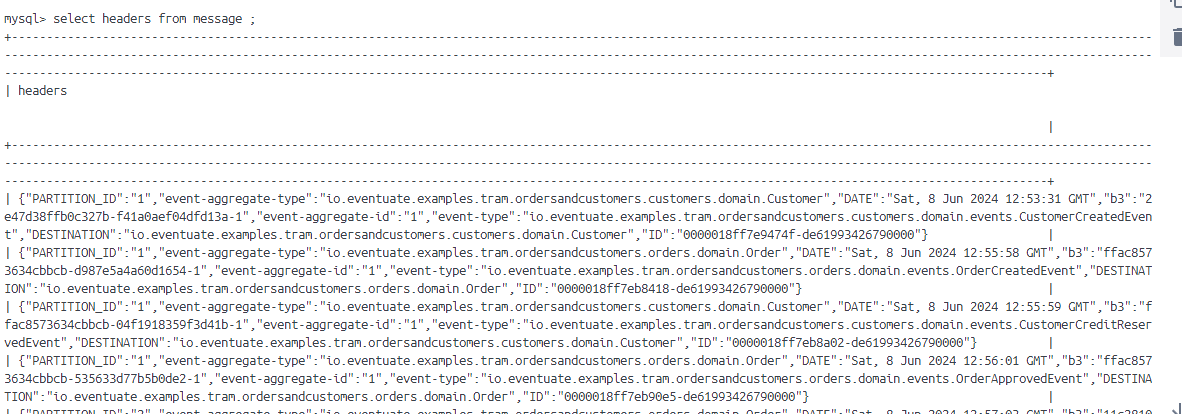
To track the events generated by the application, we can inspect the "Outbox" or "Message" table in the database, where these events are stored as records.