Understanding Microservices : A Modern Approach to Software Architecture
In this blog, we will delve into the differences between microservices and monolithic architectures, highlighting the benefits of adopting microservices. we will also cover the main components of a microservice architecture and see a demo to illustrate these concepts in action.
Hello 😀,
In this blog, we are going to delve into the fascinating world of Microservices Architecture, a revolutionary approach that has transformed the landscape of software development. Many leading companies, such as Netflix, have embraced this architecture to overcome common challenges associated with traditional approaches. Before we dive headfirst into the exciting realm of microservices, it's crucial to first grasp the basics of monolithic architecture and its limitations.
You can find the source code for this blog here.
Monolithic architecture
In a traditional monolithic architecture, the entire application runs as a single process, all the application's components are interconnected and interdependent and bundled together into a single unit. This means that the user interface, business logic, and data access layers are all part of a single program.
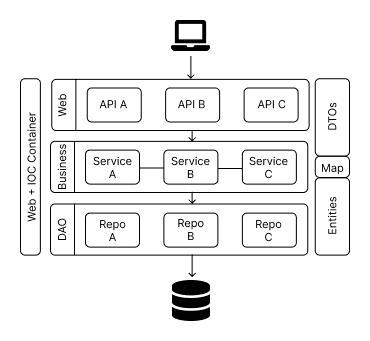
Drawbacks of Monolithic Applications:
- Scalability Issues:
If a particular service within a monolithic application receives a lot of calls and needs to be scaled, the entire application must be scaled. This means running additional instances of the whole application, which is resource-intensive and inefficient. Instead of scaling just the overloaded component, you're forced to scale the entire system, leading to unnecessary use of resources.
- Slow Deployment Speed:
In a monolithic application, even minor changes require recompiling and redeploying the entire application. This can significantly slow down deployment cycles, as the entire system must be tested and deployed as a whole, making continuous deployment challenging.
- Barriers to Technology Adoption:
Monolithic applications are typically written in a single language or framework, requiring the entire development team to be familiar with that specific technology. This limits the ability to adopt new technologies or languages that might be better suited for specific tasks within the application.
- Code Difficult to Change and Test:
In a monolithic application, all the logic of the entire system is intertwined, making the codebase complex and difficult to manage. Changes in one part of the application can have unintended effects on other parts, making it hard to test and maintain. This complexity also makes it difficult to isolate and fix bugs, leading to longer development cycles.
By understanding these drawbacks, it becomes clear why many organizations are transitioning to microservices architecture, which offers greater flexibility, scalability, and ease of maintenance.
Microservices Architecture
Microservices architecture involves breaking down an application into smaller, loosely coupled services, each responsible for a specific business capability. These services can be developed, deployed, and scaled independently, offering several advantages over monolithic architectures.
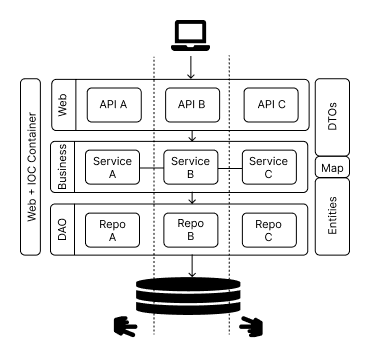
Here's a summary of the key benefits of microservices architecture:
- Loose Coupling:
Microservices are weakly coupled because each microservice is physically separated from others. This separation allows each service to be developed, deployed, and scaled independently, reducing the risk of changes in one service affecting others.
- Team Independence:
Different teams can work on different microservices independently. This relative independence allows for parallel development, which can speed up the overall development process and improve efficiency.
- Ease of Testing and Deployment:
Microservices architecture facilitates easier testing and deployment. Since each service is a separate unit, it can be tested and deployed independently, reducing the complexity of testing and accelerating deployment cycles.
- Continuous Delivery:
Microservices are well-suited for continuous delivery practices. Each service can be updated and deployed continuously without affecting the entire system, enabling more frequent releases and quicker updates.
Now, we will explore the primary components that make up a microservices architecture.
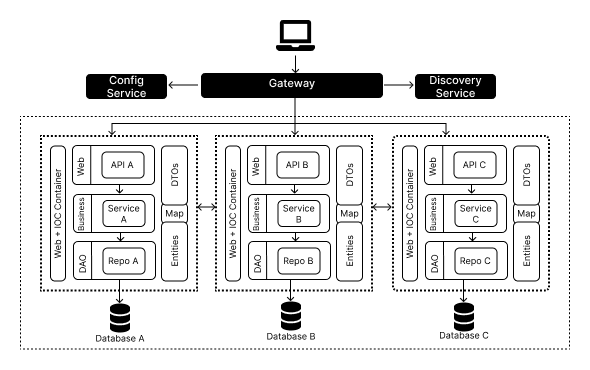
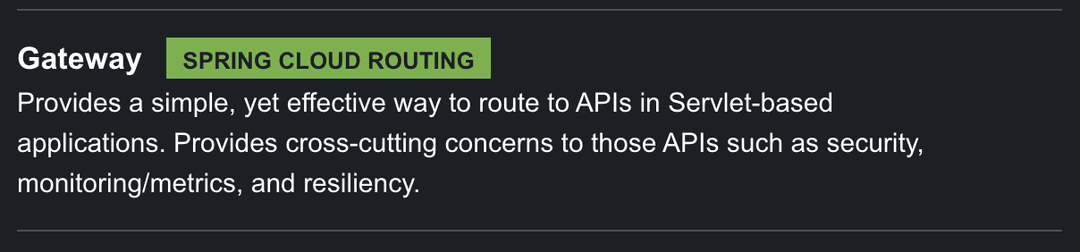
Gateway
In production environments, direct communication with microservices is not permitted. Instead, all microservices must be grouped and treated as a single application that interacts with an intermicroservicery, usually a middleware or API gateway. This intermicroservicery acts as a load balancer, distributing incoming requests evenly across the microservices to ensure balanced load and optimal performance. While the middleware could potentially be a single point of failure (SPOF), this risk is mitigated through redundancy and high availability setups, ensuring robust and reliable operation.
There is two ways of configuring a gateway :
-
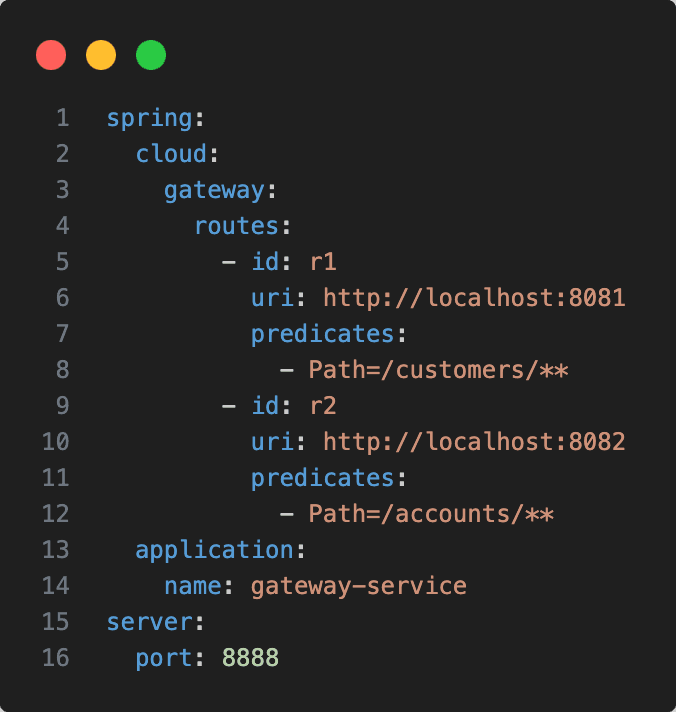
Static Configuration: When dealing with a small number of microservices, the middleware can be statically configured to route specific paths to designated IP addresses. For instance, /path1 can be directed to address 1 and /path2 to address 2. In this configuration, we must know the IP address of a microservice, and if a microservice stops or its IP address changes, we must update the configuration.
-
Dynamic Configuration: In environments where multiple microservices start and stop dynamically, static configuration is insufficient. Here, dynamic configuration through a discovery service becomes essential.
Discovery Service
The discovery service acts like a directory (similar to DNS or UDDI for SOAP).Microservices register themselves with the discovery service upon startup. Gateway is then configured to query the service registry for the current IP addresses of the microservices, enabling automatic updates to routing configurations.
Config Service
-
Cold Configuration: Each microservice has its own configuration file (e.g., application.properties). Any modification to these files requires restarting the microservice. Additionally, if a configuration setting is shared among multiple microservices, each individual configuration file must be updated separately. When multiple instances of the same microservice are running, changes must be applied to each instance individually, leading to a cumbersome and error-prone process.
-
Hot Configuration: A centralized configuration service maintains a single, global configuration file. Changes to this file are automatically propagated to the relevant microservices without needing a restart. Typically, this configuration is managed through a version-controlled repository like Git. When a configuration parameter is changed, a commit is made, and only the specific changes are sent to the microservices, rather than the entire configuration file. This approach ensures efficient and consistent configuration management across all microservices.
Communication models
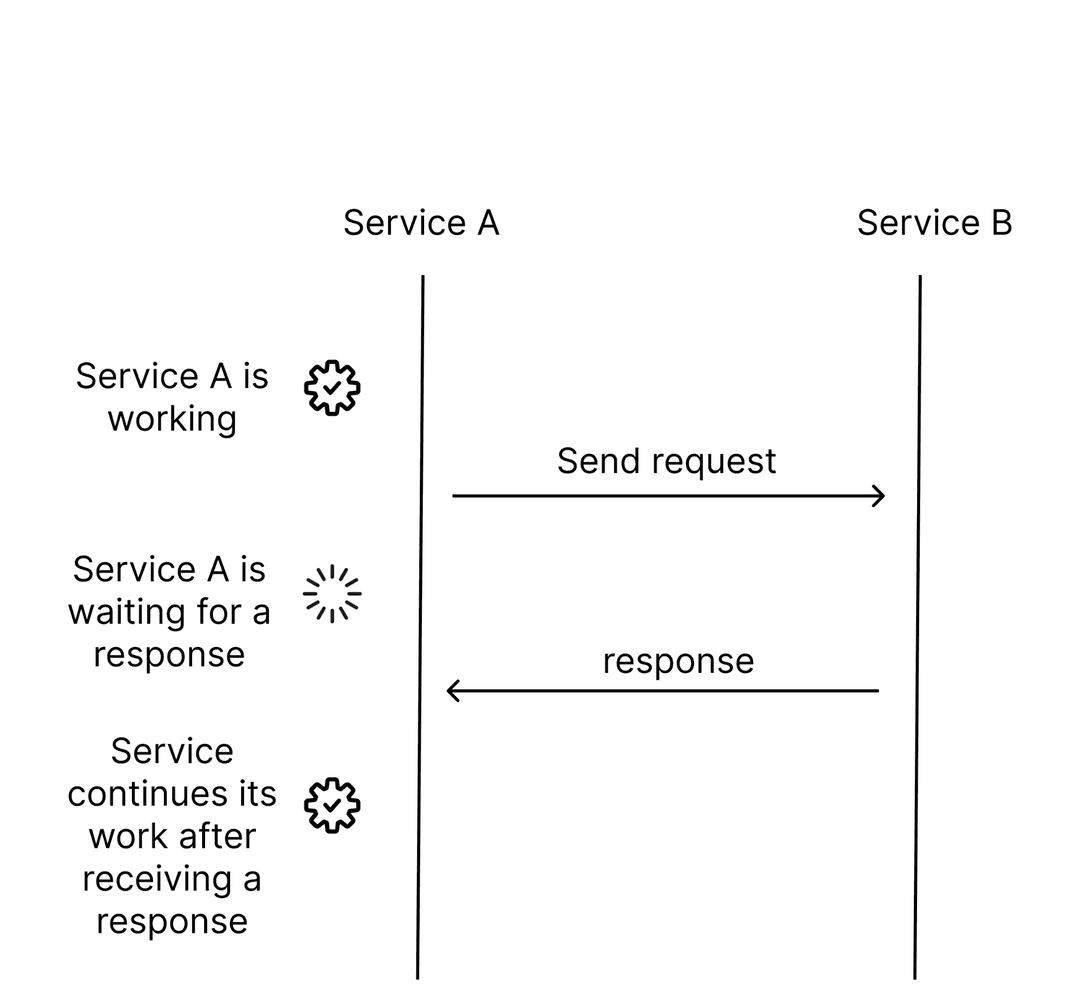
- Synchronous Communication : Imagine you're asking someone for directions. In synchronous communication, it's like you ask, "How do I get to the park?" and then wait right there until they give you the directions. Only after hearing the directions do you move forward. This is similar to how microservices talk to each other in synchronous mode. One service asks another for something, waits for the answer, and only moves on once it gets it. This is quick and straightforward but can be slow if the other service takes a long time to respond.
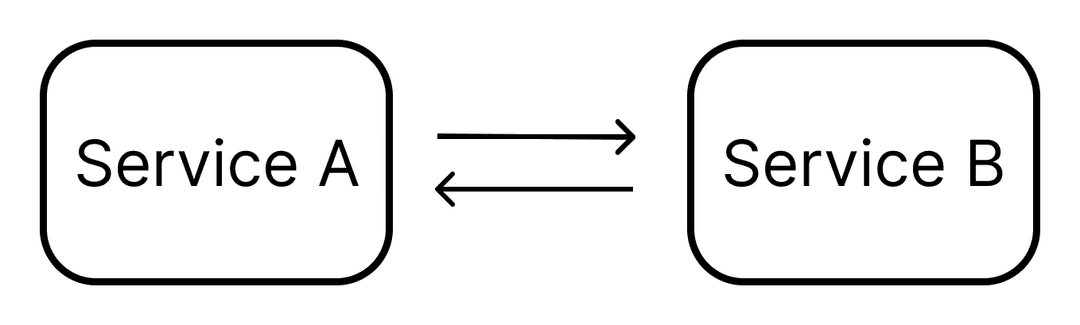
- Asynchronous Communication: Now, imagine instead of waiting for directions, you drop a note saying, "I'm heading to the park. Let me know if you need to meet." Then, you walk away and continue doing other things. Later, you check the note for any replies. This is like asynchronous communication with a message broker. One service sends a message to another without waiting for a reply. The message is sent to a middleman (the broker), which then gives it to the other service. The sending service can keep doing its job without waiting. This is great for when you don't need an immicroservicete answer and can handle the message whenever it arrives.

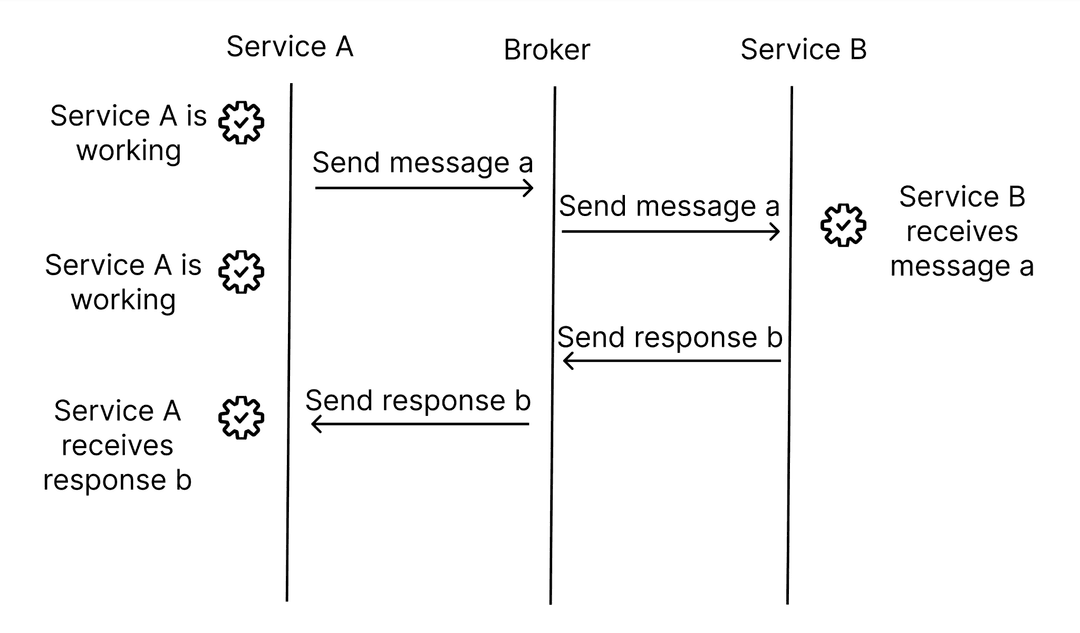
We will see those two models in detail in an upcoming blog about Reactive programming.
Demo
In this demo, we're going to explore how to set up a simple microservices system using the Spring framework, specifically focusing on Spring Boot and Spring Cloud. These tools are designed to make it easier to build and manage microservices.
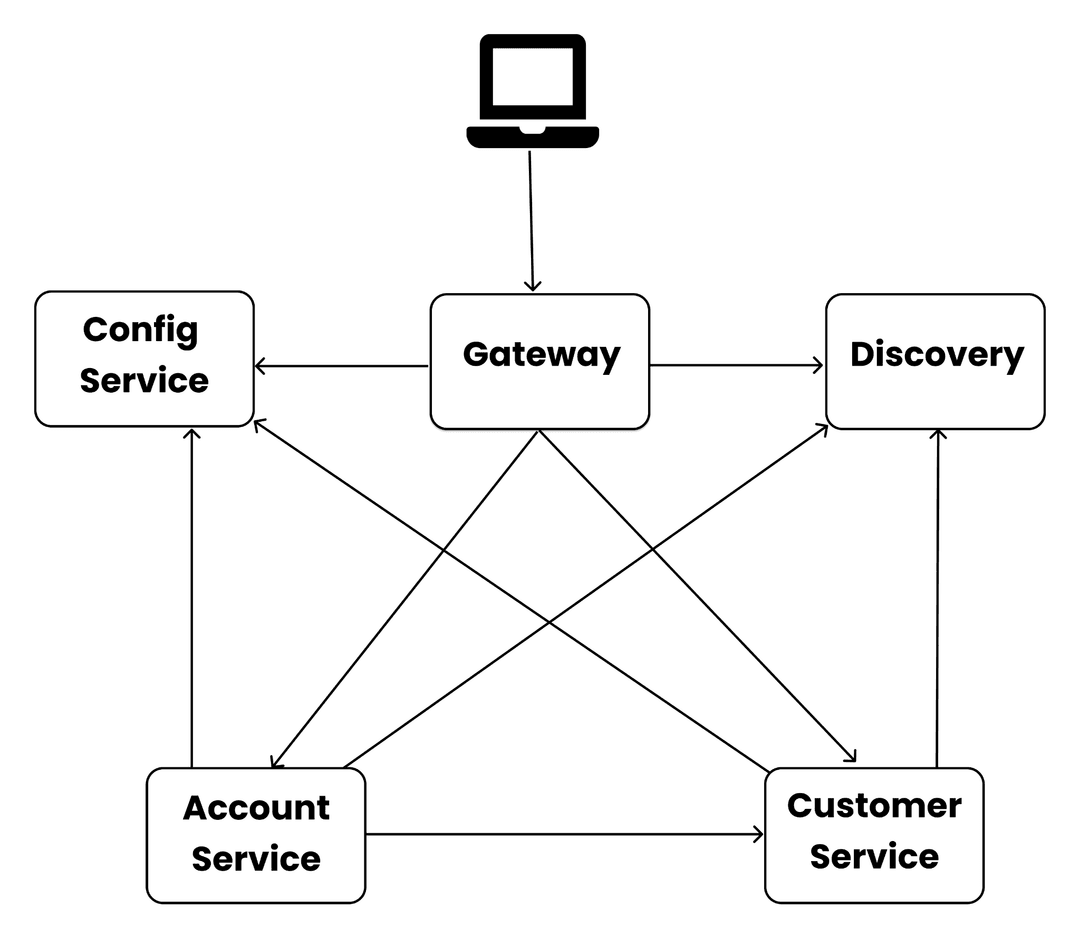
In this demo we will have two microservices Customer service and Account service, each microservice is a simple spring boot application so we must use common dependencies such as : Lombok, Spring Data JPA , H2 Database , Spring Web .
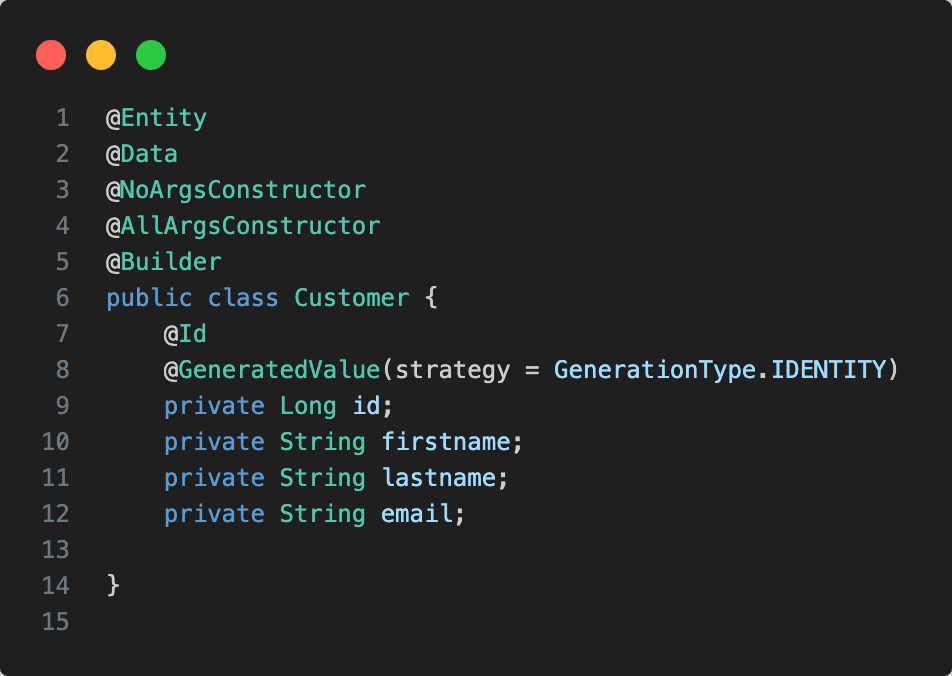
- Customer service: manages customers
Here is the model Customer.
- Account Service: Manages accounts, with each account belonging to one customer. Since each microservice has its own database, the Account Service database will store only the customer ID for each account. This customer ID must exist in the Customer Service database.
Ensuring Referential Integrity
Referential integrity ensures that the relationships between tables remain consistent. Here’s how it applies in this scenario:
Adding an Account:
-
When you want to add a new account, you only store the customer ID in the Account Service database.
-
To ensure referential integrity, you must verify that this customer ID exists in the Customer Service database.
-
This requires calling the Customer Service to check if the customer ID is valid before adding the account.
Here is the model Account.
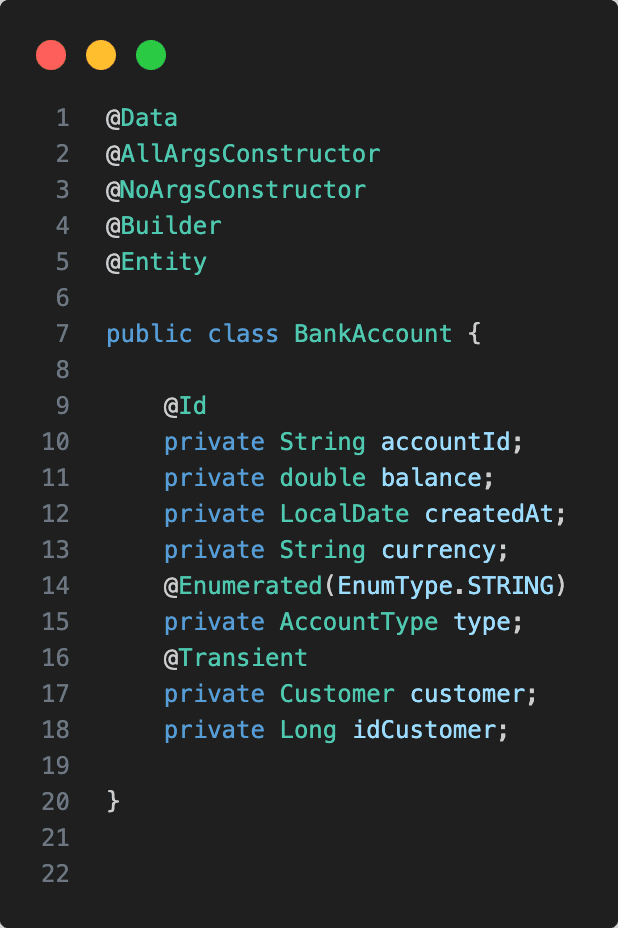
@Transient is an annotation that indicates a field should not be persisted in the database, in this case, since the customer table doesn't exist in the accounts database and there is no foreign key, the customer field will be constructed manually by querying the customer service.
Discovery service
We start a new Spring Boot application, but this time we should add this dependency.
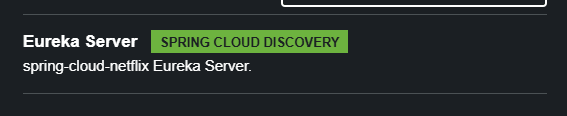
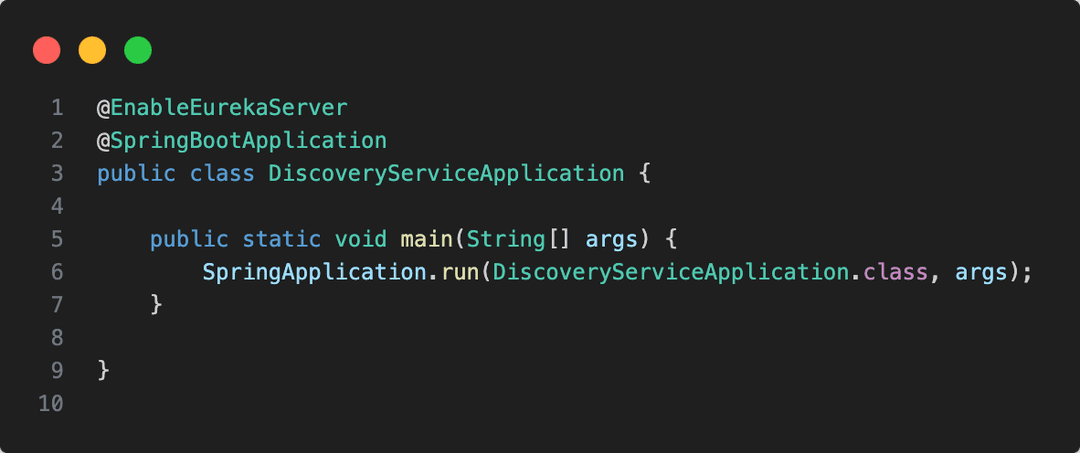
Then we must add the annotation @EnableEurekaServer on the main class.
After, we add this configuration
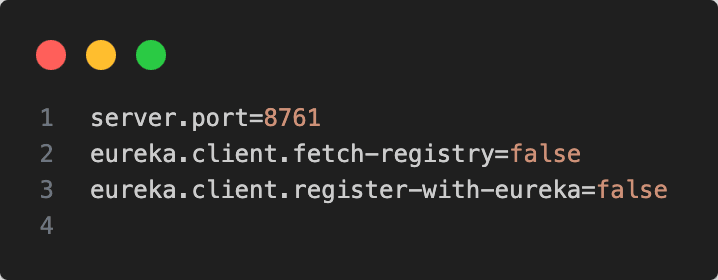
And we start the application.
To allow microservices to register with the Eureka server, we must add this dependency to each microservice.

By default, services register with the service name and the machine name where the service is running. However, in real-life scenarios, we need the IP address instead of the machine name. Therefore, these properties need to be added at the level of each microservice.

The defaultZone configuration specifies the default location of the Eureka instance at the URL http://localhost:8761/eureka. However, in practice, we need to use the appropriate IP address.
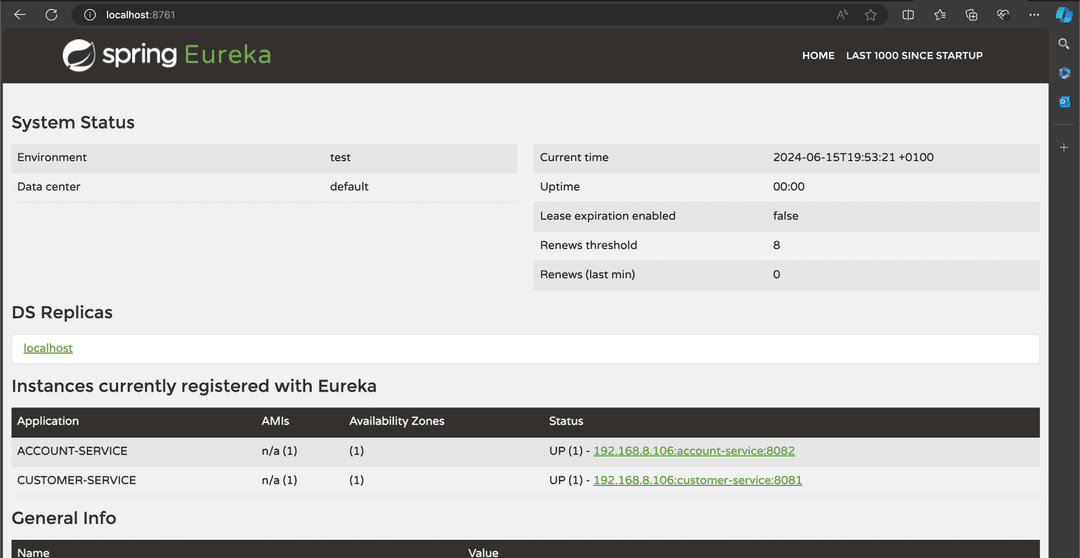
Now, if we run the microservices and access the Eureka dashboard, we will see the address and port of each microservice.
Gateway
We create a new spring boot application and we add this dependency.
- static configuration :
-
Predicate: This is a condition used to route requests. For instance, if the request path contains /customer, the gateway will route it to the corresponding microservice. Predicates can be based on various criteria such as request path, headers, or query parameters.
-
URI: This is the endpoint where the gateway sends the request. For example, if the URI is set to http://localhost:8080/api, the gateway will forward requests to that address.
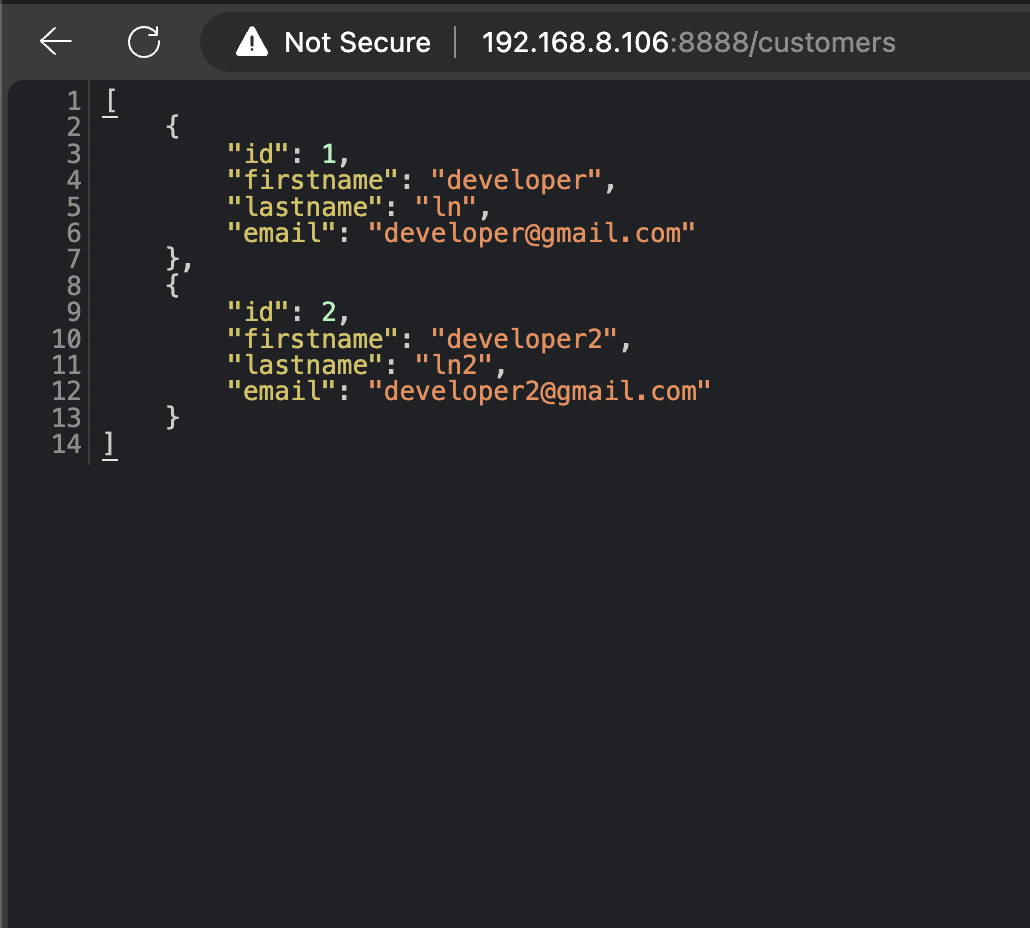
Now if we type localhost:8888/customers the request will be redirected by the gateway to localhost:8082/customers
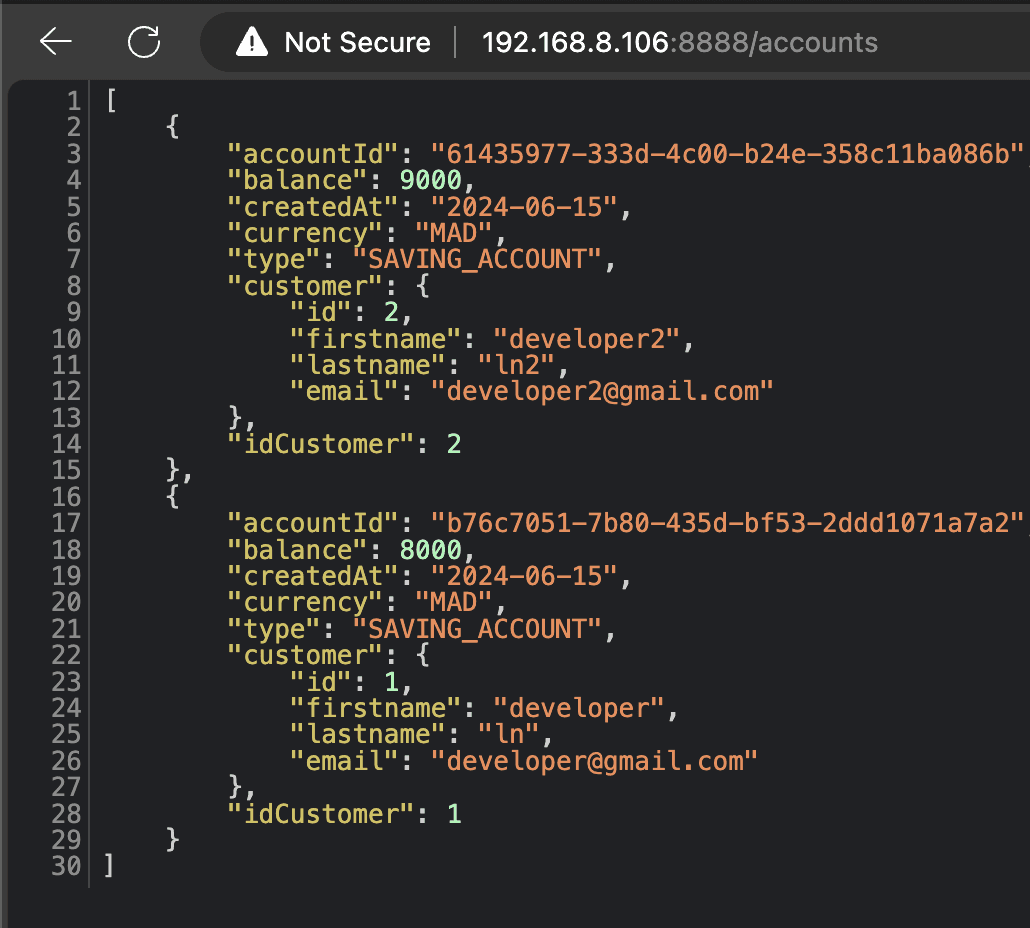
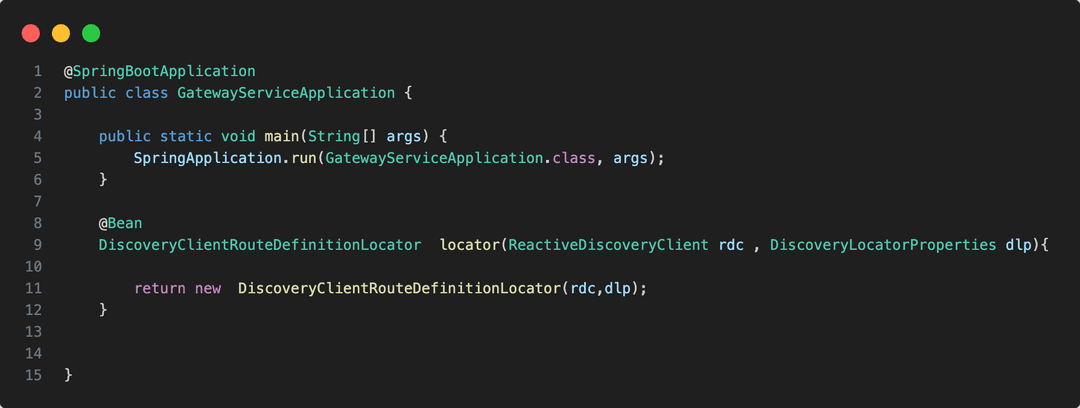
- dynamic configuration :
we add just this bean.
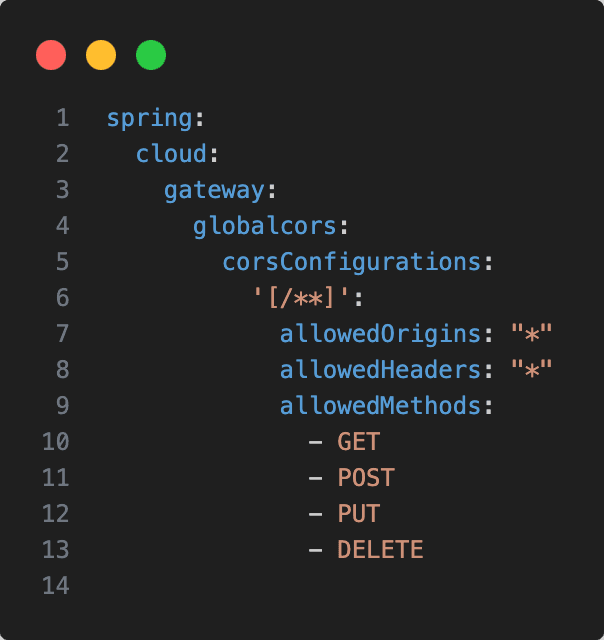
and this configuration.
and we need to configure the CORS.
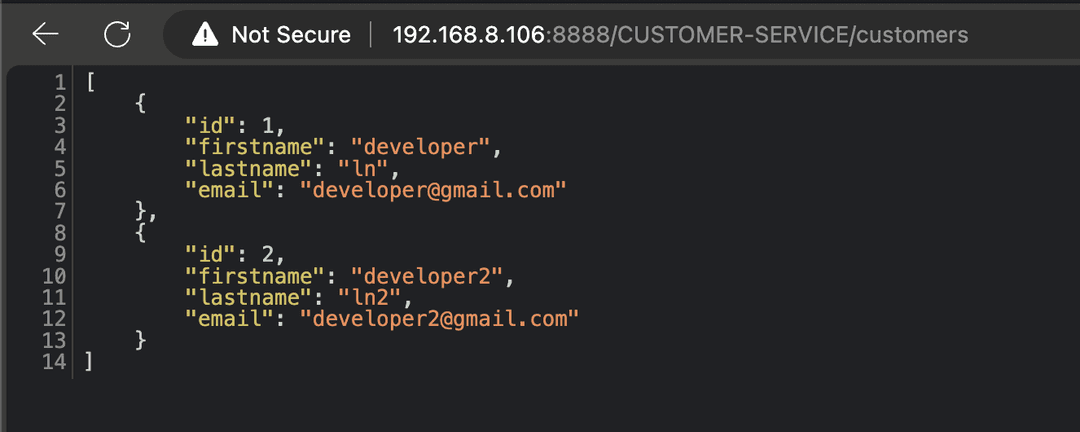
Now if we enter the URL in the format gatewayPort/serviceNameInUppercase, followed by the specific path.
For example: http://localhost:8888/ACCOUNT-SERVICE/accounts
The gateway then queries the service discovery to find the path to the corresponding service using just its name and forwards the request accordingly.
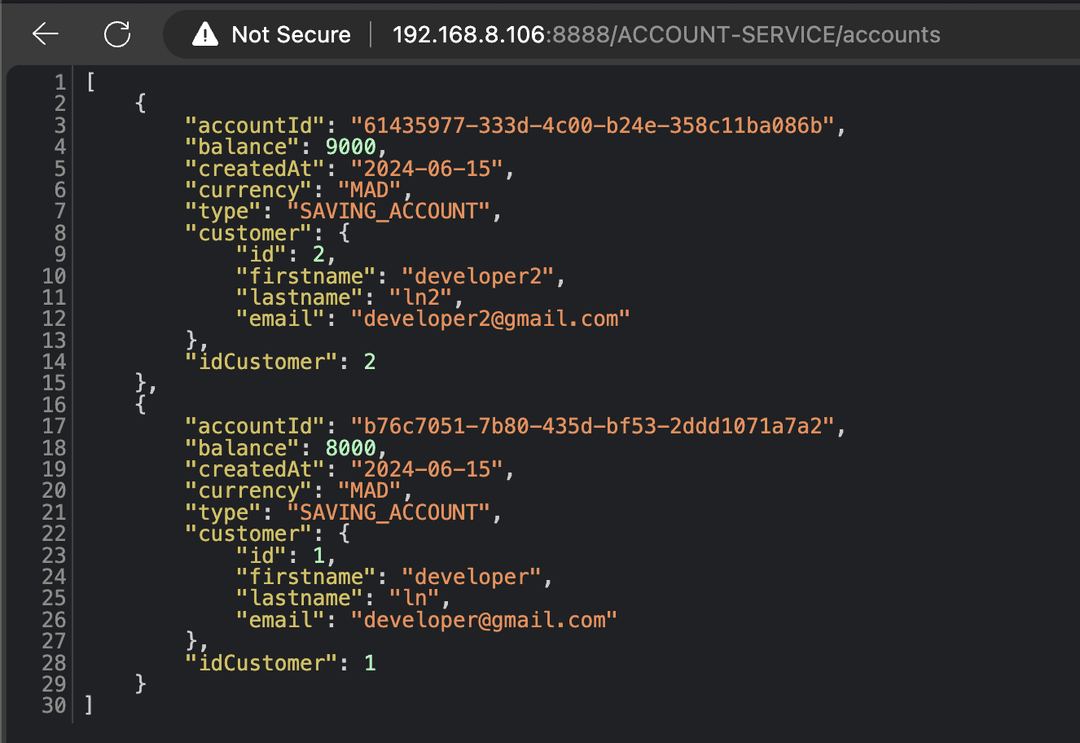
Now, as you have seen, when we query accounts, we also get information about the customer. So, how does the account service retrieve that information from the customer service?
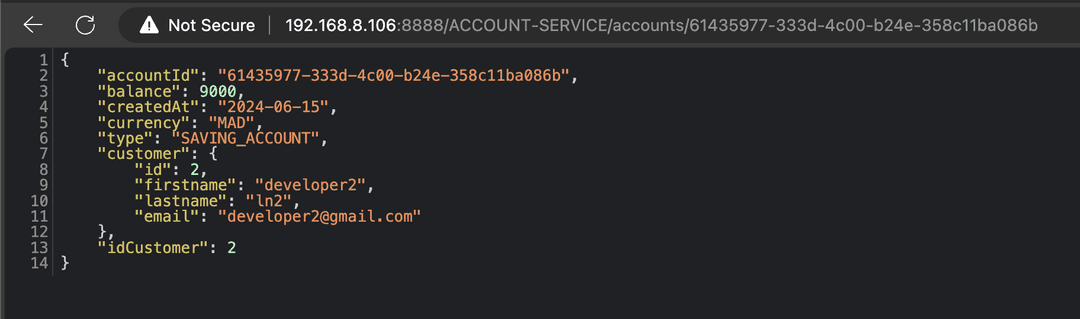
When we send a request to the account service to get information about a specific account, it first searches for this account in its database. Then, it retrieves the customer ID associated with the account and sends a request to the customer service to get information about that customer. Finally, it constructs the result and sends it back to the client.
To send an internal request, we can use various libraries, with the most common one being OpenFeign.
We add this dependency

OpenFeign is a declarative framework that simplifies making HTTP requests. Instead of writing complex code, you just define an interface, specify the name of the service you want to interact with, and list the endpoints you want to use.
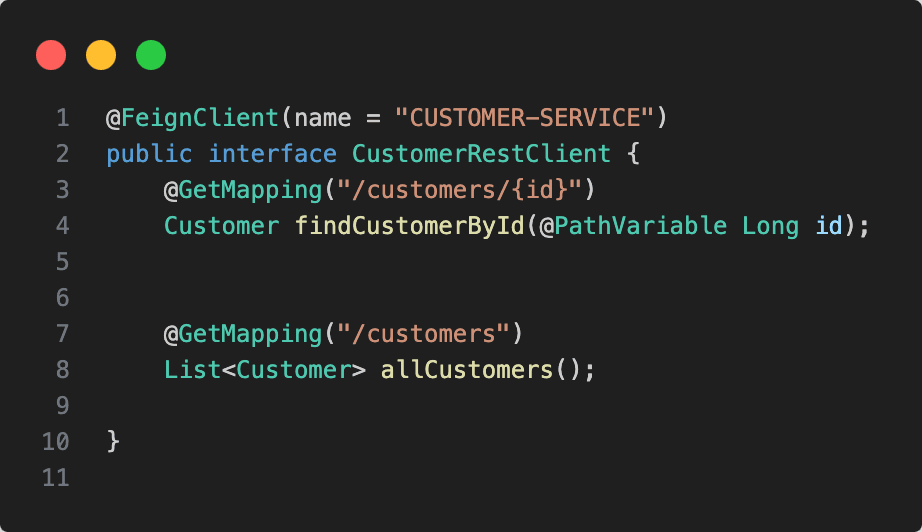
We need to add the @EnableFeignClients annotation to the main class of the Account service in order to enable sending requests using Feign.
Now, we inject the interface and use its functions to send requests to the customer-service.

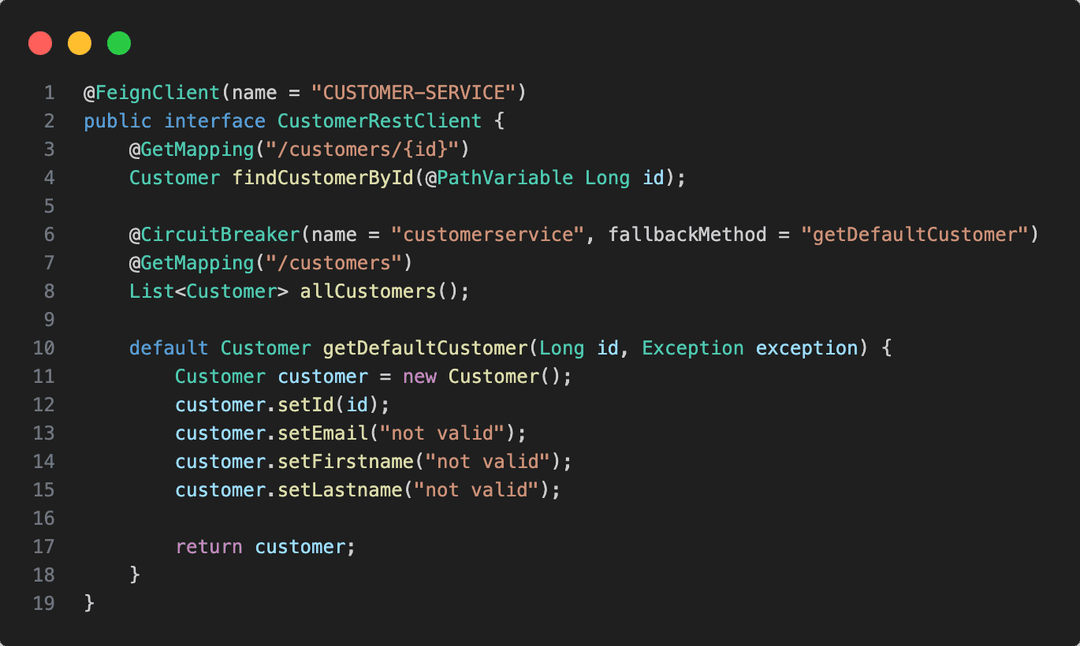
Before sending a request, we ask the Discovery Service for the address of the service (bypassing the Gateway). The issue arises when, for example, a call to findCustomerById might fail and block the service. To address this, we use a "Circuit Breaker."
The Circuit Breaker operates similar to an electrical circuit breaker in a power system. It constantly monitors a component (e.g., a call to a remote service), and if it detects repeated failures or performance degradation, it "opens" the circuit by temporarily blocking calls to that failing component. During this period, the Circuit Breaker can redirect traffic to an alternative (like a backup system or fallback functionality).
The benefits of the Circuit Breaker pattern in software architecture include:
-
Improved Resilience: Isolates failures, preventing them from cascading to other parts of the system.
-
Reduced Latency: Quickly redirects traffic to backups or fallbacks, reducing latency for end users.
-
Overload Protection: Prevents unnecessary overload by temporarily limiting new requests to the failing component.
he Circuit Breaker typically operates in three main states: Closed, Open, and Half-Open:
-
Closed State:
-
Allows normal traffic flow to the component.
-
Monitors the component's behavior continuously.
-
-
Open State:
-
Enters when the Circuit Breaker detects abnormal failures or degraded performance.
-
Actively blocks traffic to the failing component.
-
Prevents further failures from propagating.
-
Half-Open State:
-
After a defined period in the Open state, the Circuit Breaker may transition to Half-Open to test if the failing component has recovered.
-
Allows a limited number of test requests to pass through.
-
If these requests succeed, the Circuit Breaker returns to Closed, indicating the component is operational.
-
If failures continue, it returns to Open to extend protection.
-
In the Half-Open state, test requests are typically generated by the Circuit Breaker mechanism itself, not by real users of the system. These test requests evaluate whether the previously failing component has recovered and can reliably handle traffic again.
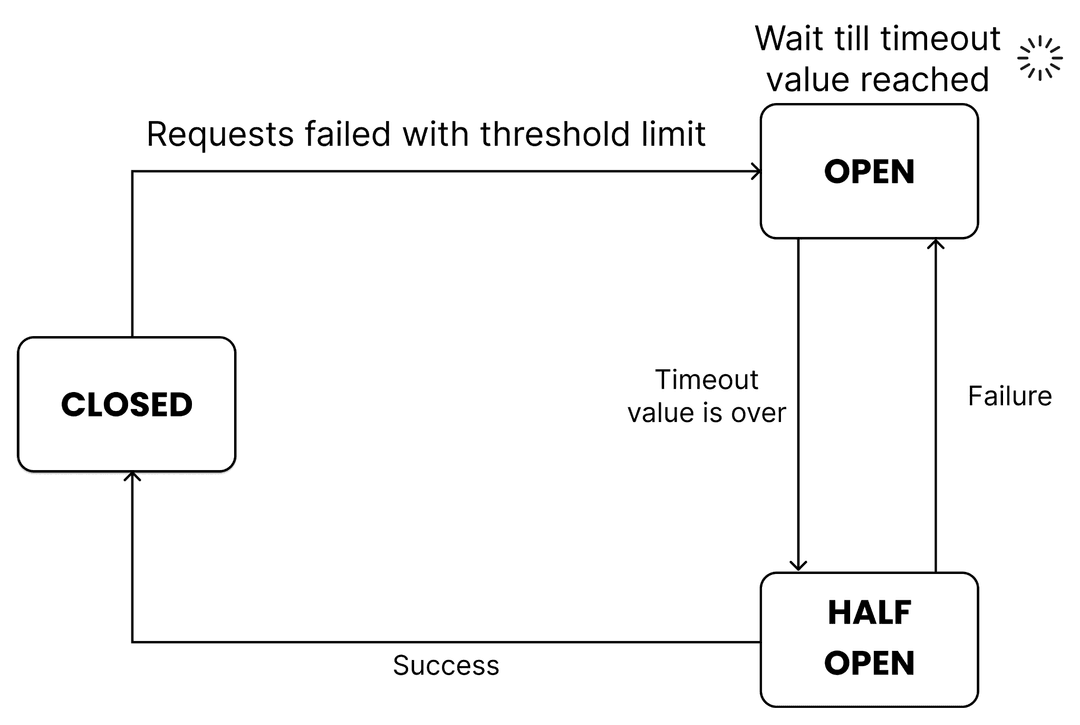
To implement the Circuit Breaker pattern, the first step is to add the necessary dependency.

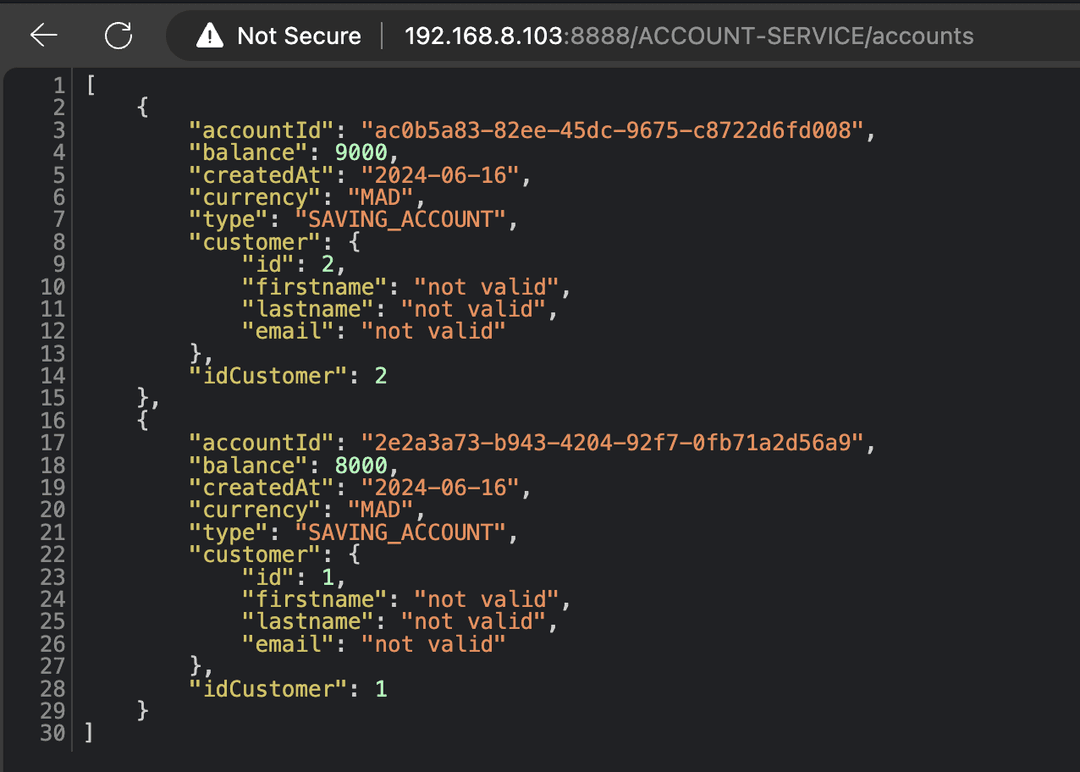
In case of an exception, we will respond with default data or cached data. After a certain period, we will resume communication with the service. If it responds and moves to closed circuit mode, otherwise, we will switch to open circuit mode.
Let's do a simple example: we will start all services and then stop the customer service.
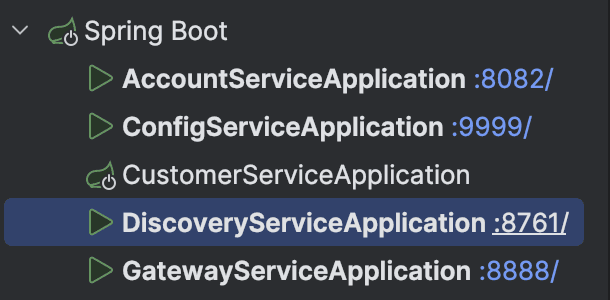
We can see that the account service is still working, and the customer data returned is just default data.
Config-Service
As you can see, when each microservice has its own configuration, any changes require restarting the service. Additionally, much of the configuration is the same across all services, leading to repetitive entries in each configuration file.
A solution to this issue is to use a centralized configuration service where all configurations can be stored and managed in one place.
First we will create a simple spring boot application and add this dependency.

To manage configurations effectively, we need to create a Git repository to store all configuration files. This repository can be local (in which case it must be on the same machine as the config server) or a remote GitHub repository.
-
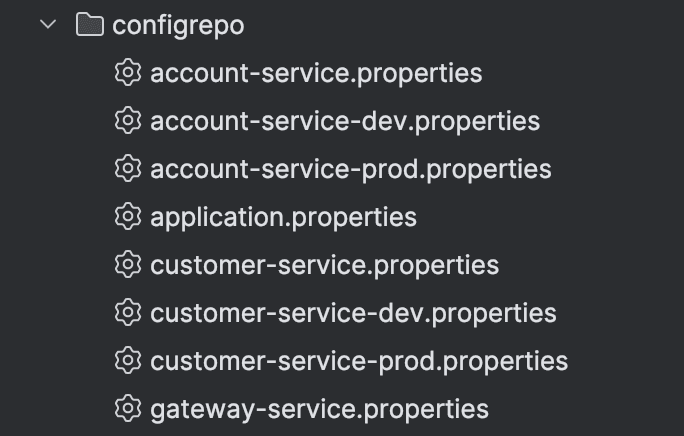
Application.properties: This file will contain configurations shared among all microservices.
-
Service-specific configurations: Each microservice should have its own configuration file named accordingly, such as customer-service.properties for a microservice named customer-service.
The name of the microservice must be specified in the microservice's internal configuration file. When the microservice starts, it sends a request to the config server asking for its configuration file. The config server needs to know the microservice's name to respond correctly (the same applies for the port).
We need to add this configuration in each microservice.

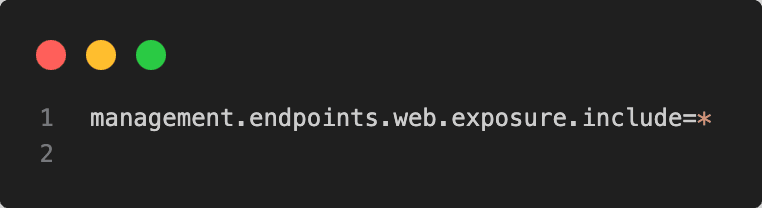
When the configuration changes, a request is sent from the configuration service to the concerned microservice (POST request to /actuator/refresh), asking it to refresh its configuration without restarting. The microservice then requests the updated configuration from the config server, which sends only the changes compared to the stored version.
So we must add in each microservice the Actuator dependency .

We must add this configuration to the application.properties file inside the config repository to be shared among all microservices. This configuration activates the Actuator endpoints.
Here is the Git repository for the configuration files.
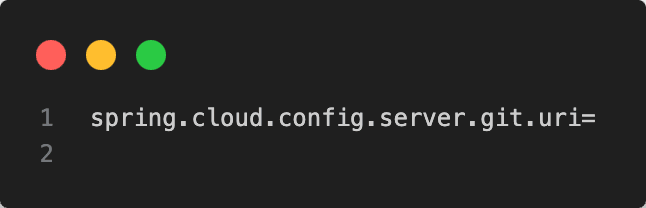
Finally, inside the configuration file application.properties of the configuration service, we need to specify the location of the Git repository in a local variable. This can be either the path to the local folder containing the configuration files or the URL of the GitHub repository if we push the configuration files to a remote repository.
Dockerizing the microservice architecture
Now, if we want to run the microservices, we should start by running the discovery service, then the config service, and the gateway. If these services start correctly, we can proceed to start the other microservices. When dealing with numerous microservices, manually starting each in the required order can be challenging. The solution is to use a Docker Compose file where we specify all services and their dependencies, ensuring they start in the correct sequence.
First we add this docker file in each microservice.
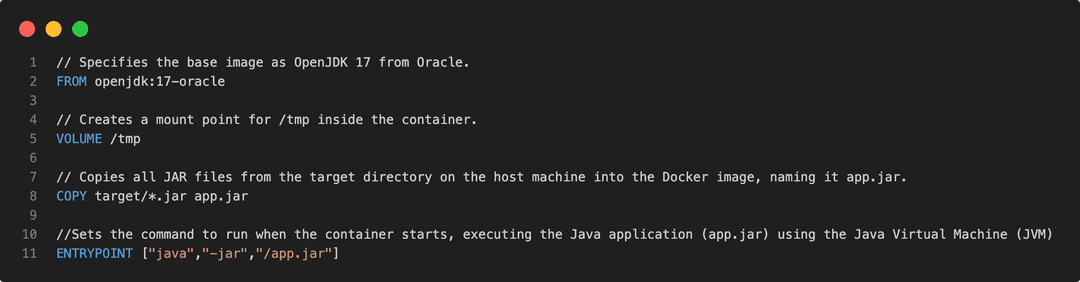
To simplify the Dockerfile, we must build the microservices before running Docker Compose., the recommended approach is to build the application when running the container.
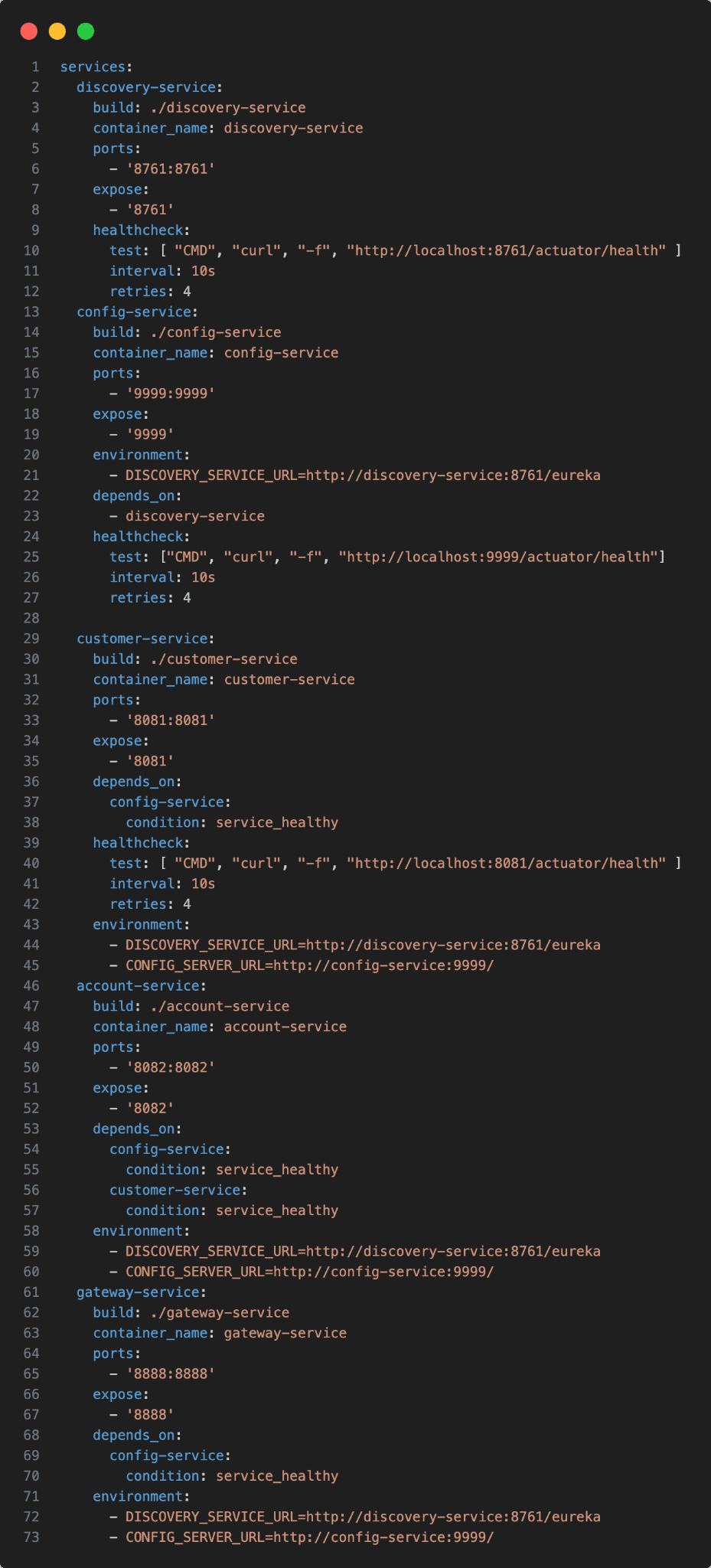
Here is the docker compose.
Building Images:
-
Running docker-compose up --build builds Docker images for each service from their respective Dockerfiles.
-
This ensures that each service starts with the latest configurations.
Health Checks:
-
Docker Compose uses health checks (healthcheck) to monitor the status of each container.
-
Health checks typically involve querying a specific endpoint (/actuator/health) within the container to ensure it's functioning correctly.
Dependency Management (Depends On):
-
Services specify dependencies (depends_on) to control the order in which containers start.
-
This ensures that services dependent on others wait until those dependencies are running before starting.
Now we must change in configuration files to use environment variable defined in docker compose .
for example

When using Docker Compose, we utilize the environment variable DISCOVERY_SERVICE_URL. Conversely, if we opt for manual execution, we would typically use localhost:8761/eureka.
That concludes this blog. See you in the next one! 👍