Security In Microservices
In this blog we will try to discover how we could secure our microservices arhitecture and how we can implement authentication as well as how to use vault in order to enhance the security within our application.
Introduction:
As most of us may know, the aspect of security has become extremely important nowadays especially that the tools used to infiltrate or take control of applications have become more sophisticated.
Consequently, we need to raise awareness about this topic and how to secure our applications by limiting the access as well as limiting the authorisations.
Web applications are the favorite target to hackers due to their accessibility via the web, and as many other technologies out there, it has known many changes especially with the birth of the microservice architecture ; a very powerful design that has given us many advantages,however we need to be aware how to secure this architecture and how we can implement some mechanisms like authentication and authorisation in order to assure the security fundamentals.
Authentication in monoliths
Authentication is one of the most important aspects of every web application. It is extremely important because it helps us protects the data of our users and is one of the fundamental layers of security that must be implemented within our system.
Generally speaking when we work with implementing authentication, there are several ways to manage that,like including a third party to take care of the authentication logic within our application or using some preconfigured tools and merging them.
However there are two fundamental ways to manage authentication:
1-Session-based authentication:
The session based authentication is a way to authenticate a user through a session where the server tries to keep the state of each user session, and that’s why this method is called stateful.
Let me explain the process in detail:
When a user logs in, the server creates a session and stores session-related data (such as user ID and other relevant information) on the server-side, typically in a database. This session data is associated with a unique session ID, which is sent to the client as a cookie. For each subsequent request, the client includes this session ID (usually via the cookie), allowing the server to retrieve the session data and validate the user’s identity.
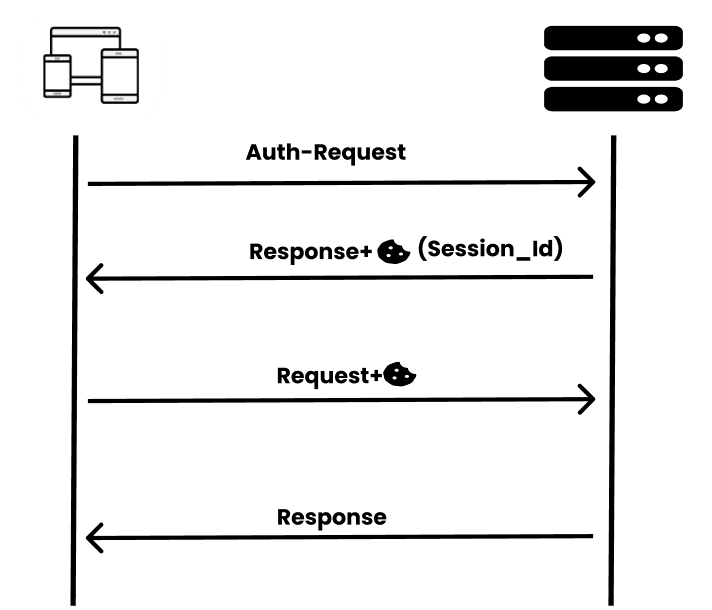
Well It is an effective way widely used however there are some issues with this way.
As I mentioned earlier the sessions are stored in the database which may not be a very good approach because it will consume a lot of resources and consequently there will be a problem with scalability especially when the number of logged users is very huge.However The implementation is much easier and more simple.
2-Token based authentication:
They are also called the stateless sessions because simply the server does not maintain any state. They use JWT as a mechanism to assure the authentification.
But wait what is JWT in the first place.
JWT, or JSON Web Token, is a compact, URL-safe means of representing claims to be transferred between two parties.In other words they are some kind of token that can hold data related to the logged users ,as well other important information like the role etc…

Here is the general structure of the JWT:
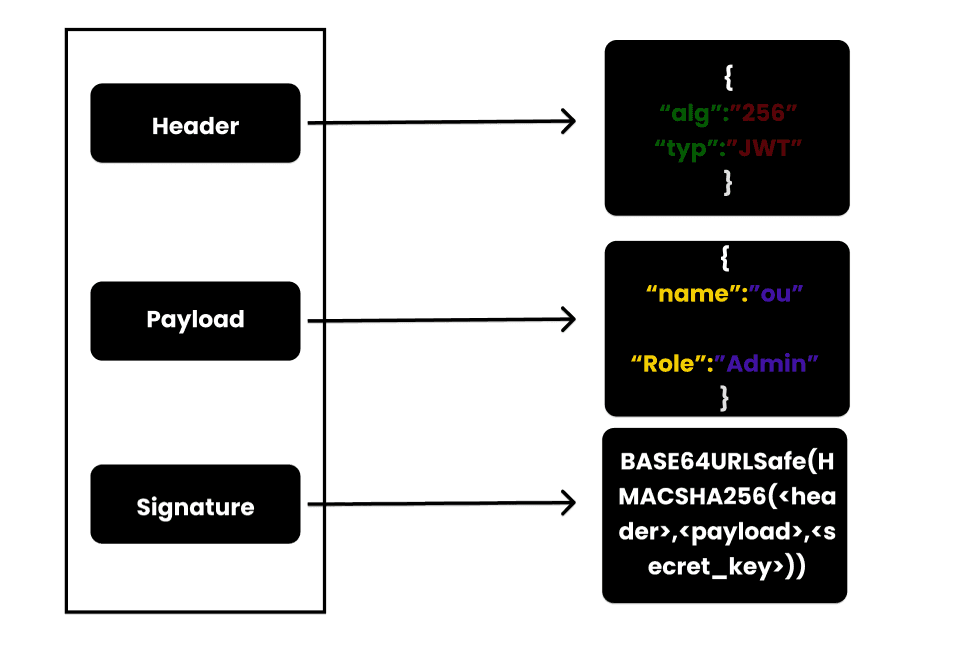
**Header:**We have first the header that contains the metadata related to the token like the type of the algorithm used etc..
**Payload:**It contains the claims which represent the data stored within the token.
**Signature:**Used to verify that the sender of the JWT is who it says it is and to ensure that the message wasn't changed along the way.
Now that we have gotten a general idea about the token, how does it help into ensuring the authentication mechanism?
So when a user logs in into the application the request is sent into the
backend to verify whether that user exists or not , then it generates a
JWT token that will be sent back to the client and here is the key
difference from the stateful sessions. The token is generally stored on
the client side.Then whenever the client sends a request to the server
it takes the jwt token and adds it to the header of the request then
sends it. On the other side, the server checks whether that token is
valid then sends back the response.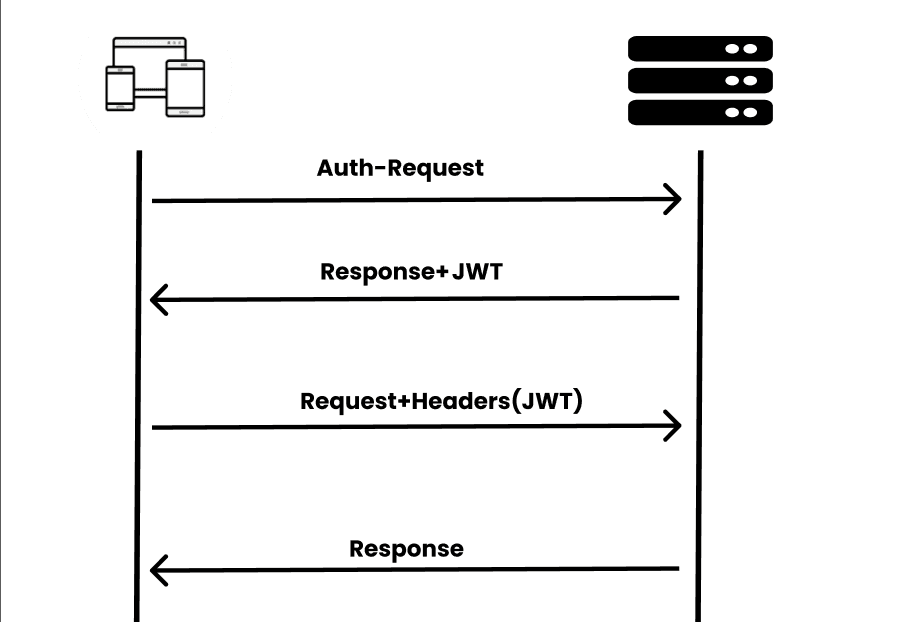
3-Wrap up:
Now that we have understood the basics of authentication within a monolith architecture.Things are quite different within a distributed system like microservices where each microservice is an independent application running on its own and having its own database.
Well , if we use the stateful sessions to manage authentications, things will be quite complex especially that we do not have a centralized database and consequently handling sessions won’t be that easy.
That is why in most of the cases, people tend to adopt the stateless session within a microservice architecture.
Authentication in microservices:
Working with microservices is extremely beneficial , however there are some problems and concerts that must be solved.
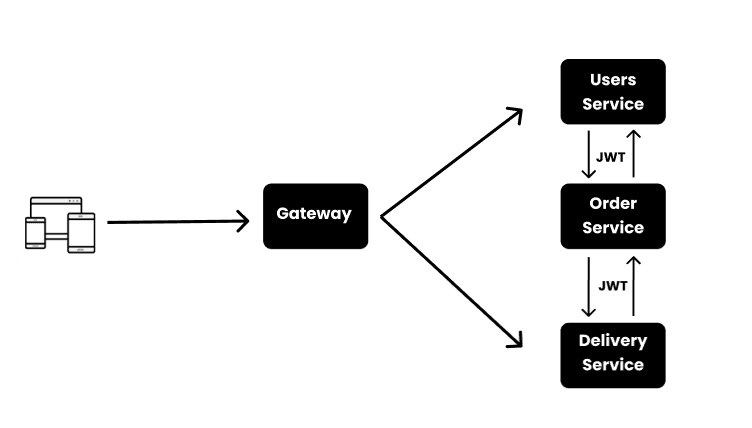
In order to understand how to implement the mechanism of authentication , let me introduce you to this simple architecture:
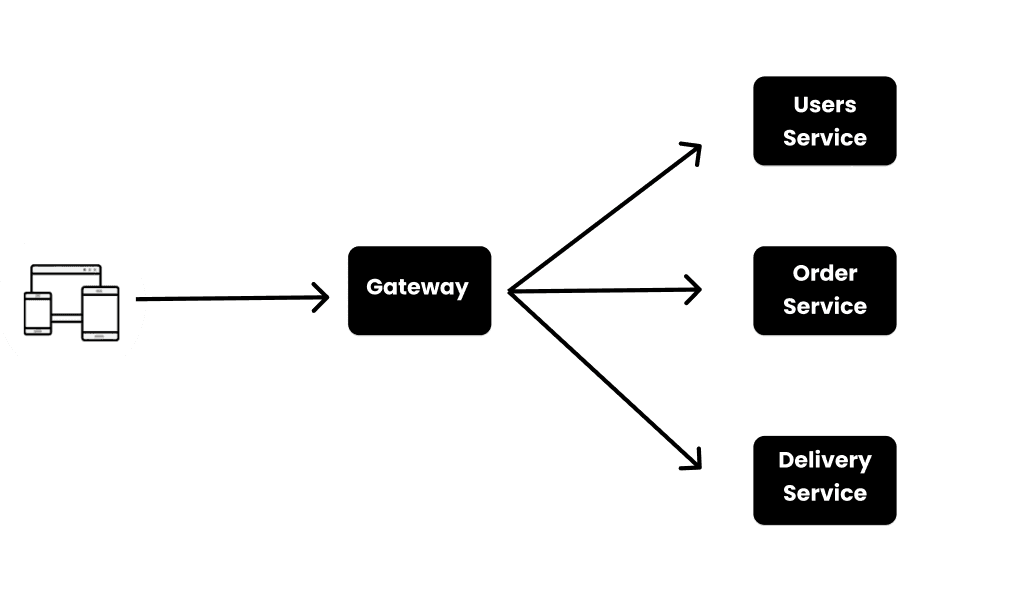
We have a gateway that is the entry point to the microservice architecture and we do 3 services:One of them is responsible for handling the users, another one is responsible for handling the orders made by users , and the last one is responsible for deliveries.It is a typical logic for an e-commerce website.
In order to handle the authentication there are several ways to do that like implementing the auth logic within the gateway or creating a new dedicated service for that. However , for our case , we will try to implement the authentication logic within our users-service.
When the JWT will be created we should implement the logic of verifying and validating the JWT token within each service because each request will be holding the token.
But before diving any deeper let’s understand further the ways we could create and verify our JWT token within the architecture.
1-Signing and verifying the JWT with a single key:
As I have shown you earlier , in order to create and verify the validity of a jwt token we need a secret key because in reality , the jwt is an encrypted format And if you are familiar with encryption there are to ways to encrypt:
**1-**Using a single key for encryption and decryption called the symmetric key encryption
**2-**Using a pair of keys(A private and a public key) in order to make the encryption and decryption called asymmetric key encryption
Those mechanisms rely on mathematical algorithms.
For our case of monoliths, We used a symmetric key encryption using the secret key. We can use the same approach with our microservice architecture.
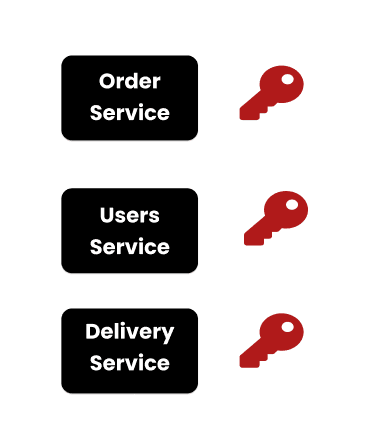
Technically speaking , it is a valid approach that can be used where that secret key will be stored in configuration file within each microservice.However , in terms of security it is a weak technique because the secret key is a fundamental asset that must not be shared.Furthermore, it is kind of risky to have that key repeated many times.There are some enhancement we could make to improve the security
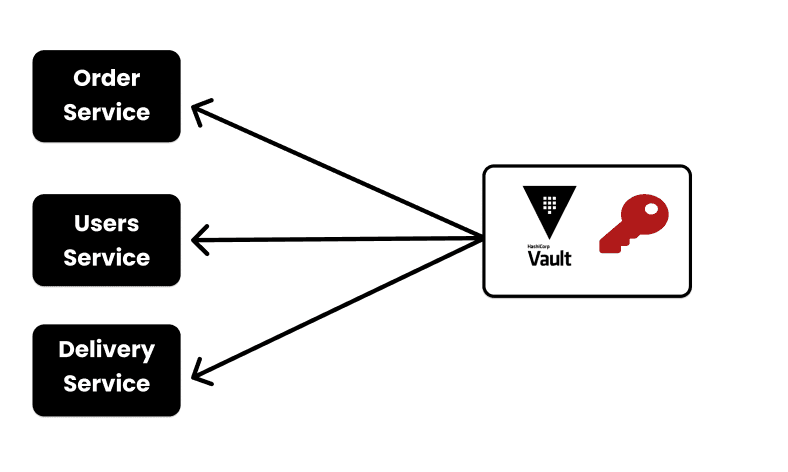
We can store the secret key in a single place and then retrieve its value when needed by a certain microservice. We could use some tools like Hashicorp Vault.Is is a valid approach however it is not the best because you could think of the secret-key as a secret;people say that when you share your secret with another person, it is no longer considered as a secret.Same things goes with the secret-key.
2-Signing and verifying the JWT with a pair of keys:
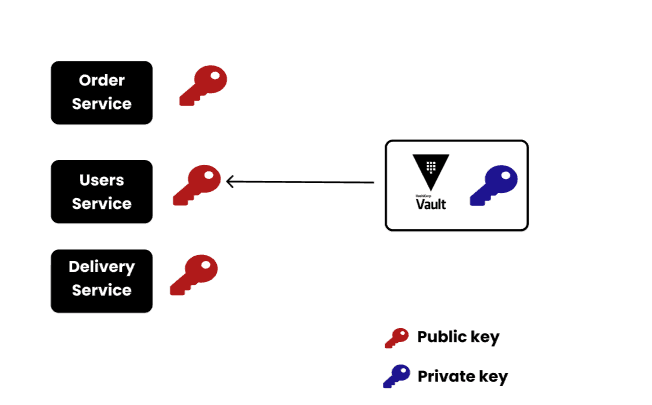
One of the best approaches we could use for managing the signind and the verification of the JWT is to use a pair of keys. A private key responsible for the encryption and that will be held only within the users service and a public key responsible for the decryption of the jwt and that can be shared among the services, because the main problem relies with the encryption.If a malicious attacker takes control of the private key , he could be generating jwt as he wants and consequently he could log as long as he wants and may take some further malicious actions. However if he has the public key , he cannot gain access.
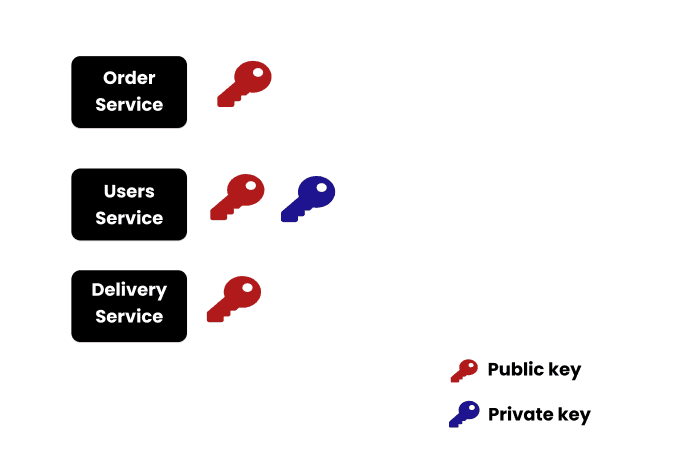
The Users service will be using the private key to generate the JWT token and then the other services including the user service will be using the public key to verify whether that token is valid or not.
Demo:
Now that we took a look at the general idea on how we can implement the authentication mechanism within the microservices architecture,let’s move on to the implementation.
For the technologies we will be using spring boot alongside many dependencies.
You can find the source code for this blog here.
Let’s start by the creation of the microservices:
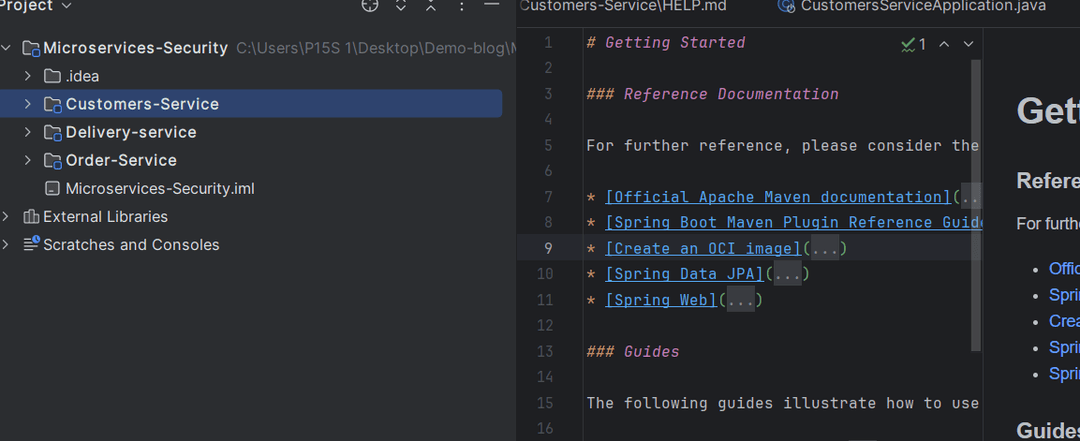
Those three microservices contain the same basic dependencies but the most important one is the oauth2 dependency responsible for the security and authentication part of our application
 Once created we create the
Gateway that will take care of redirecting the requests into the
corresponding microservices and that contains the following dependency
Once created we create the
Gateway that will take care of redirecting the requests into the
corresponding microservices and that contains the following dependency
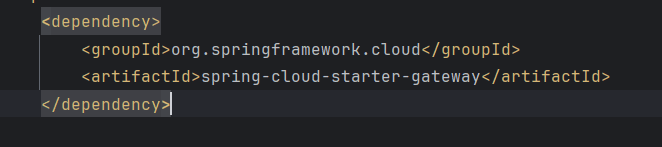
As for the configuration of the gateway , we used a static approach (in order to simplify the logic within our demo) and created a yaml file containing all the routes of our microservices
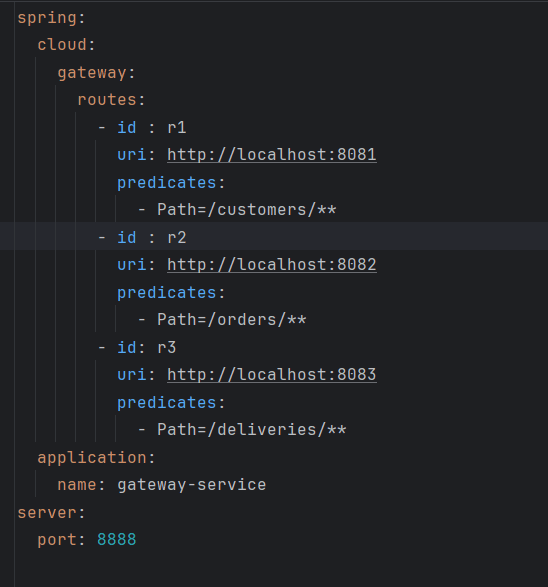
Now that our microservices are ready to be used , we need to create our keys;
For this purpose we have two options:
**1-**Creating them using Openssl
**2-**Creating them using a java dependency
1-Creating the key pairs using Openssl
Openssl is a library that can be used for cryptography and generating keys.
First we need to create a folder within the resources directory(in the
users service),then run three different
commands.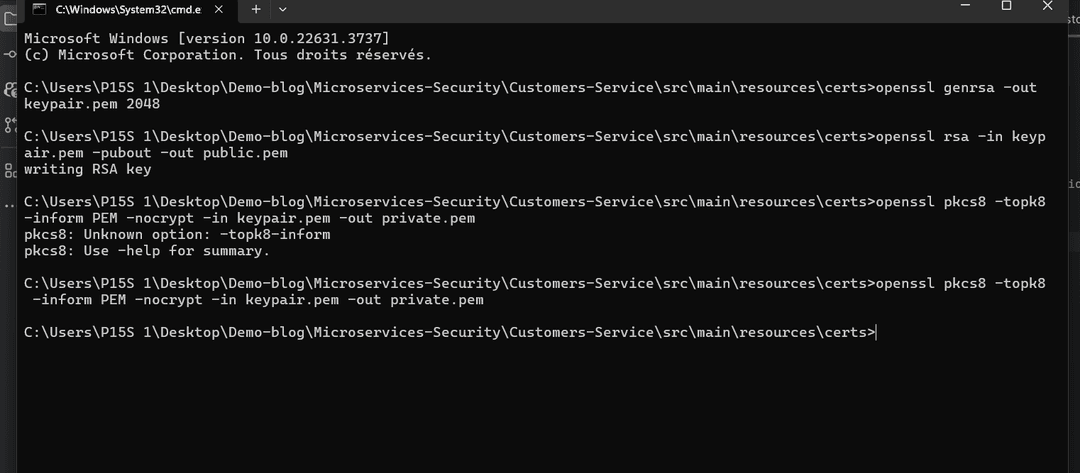
For the first one , it will create a basic private key,then the second one it will create a public key and finally the third one will create a more suitable and adapted private key.
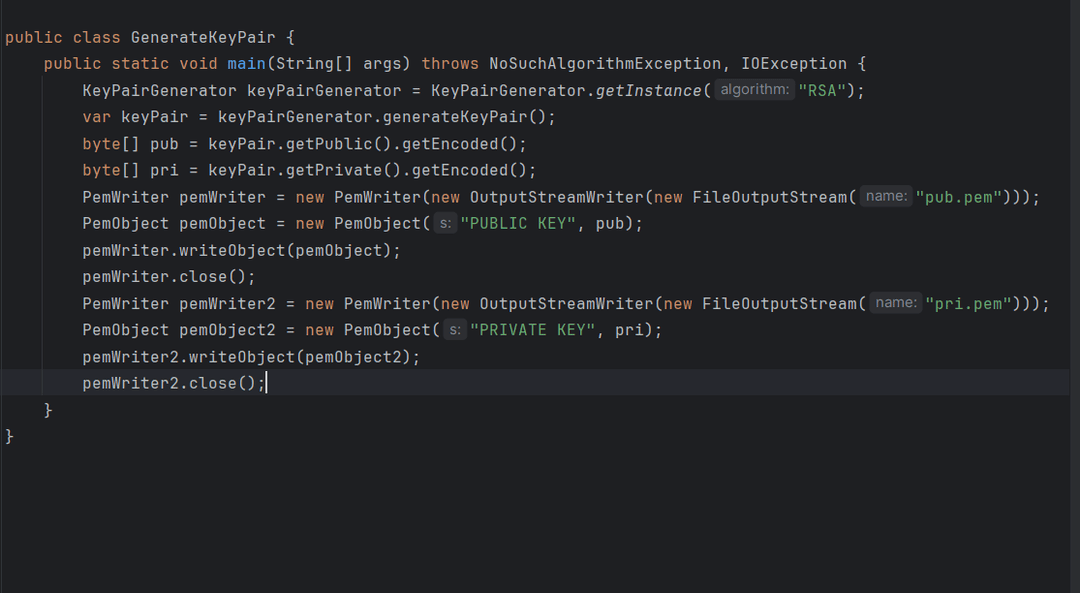
2-Creating them using a java dependency
For this approach we need to add another dependency to the users service
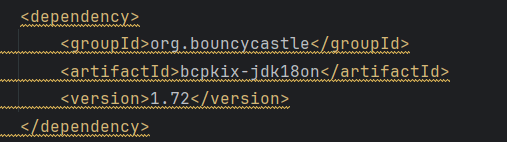
Now we can add the following code into our application and it will be executed once the application is running
The final output of the two methods should be like this
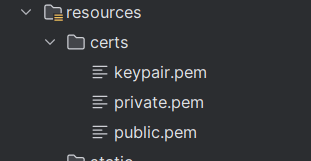
Now that we have created our keys, it is time to pass to the implementation.
First in the application.properties of the users service and add the two environment variables
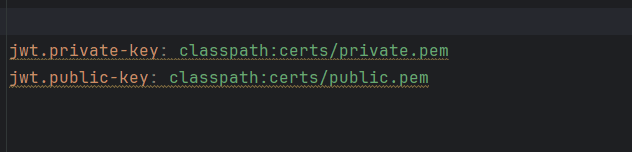
They represent the location of the keys.
Then we need to create a security folder and add a security configuration file.
That file contains many functionalities that we will try to break them.
Let’s start by the filter chain functionality:
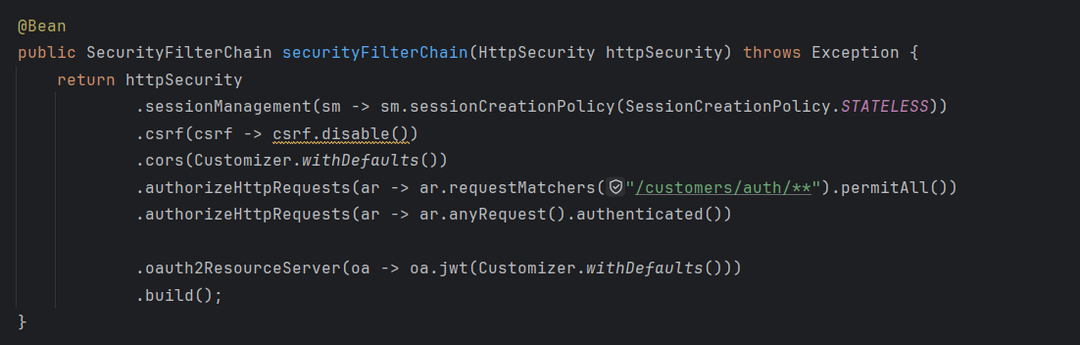
The main purpose of this bean is to filter the requests sent to our microservice and to specify the type of authentication as well as other configurations like disabling the csrf(It is safe to do it when dealing with stateless authentication).
This is a mandatory component that can be considered as a layer of security.
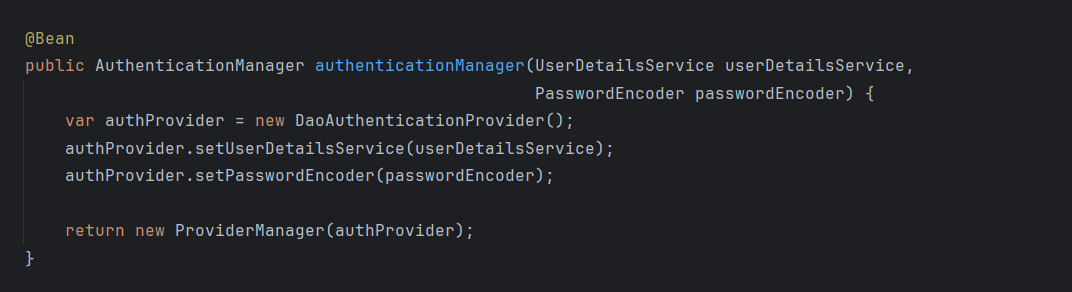
This is another important component that defines how our authentication will be handled based on two main parts: the UserDetailsService (that we will talk about later) and also the password encoder(a method to encode our passwords)
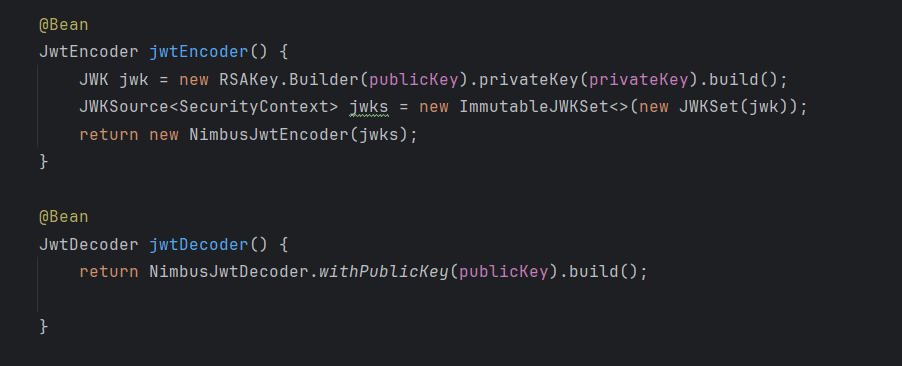
These two methods help us encrypt and decrypt the jwt
Last There are some interesting annotations to add

This annotation is a useful one because it helps us make sure to authorize only eligible people to access some ressources.
Now let’s move on to another interesting code related to the implementation of the userdetailsService based on our own logic
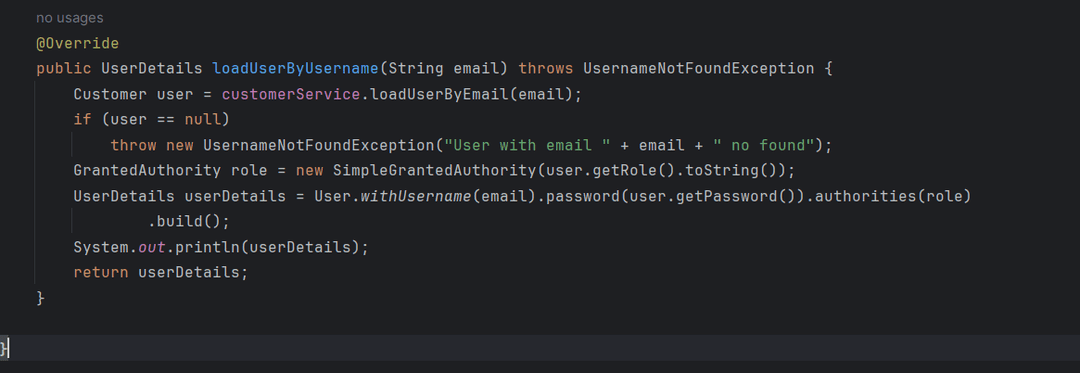
This overridden method help us adapt the generic userdetails into our case by making the email as username and also adding the roles.
Last we do have the AuthController where we will try to expose our login and register methods.
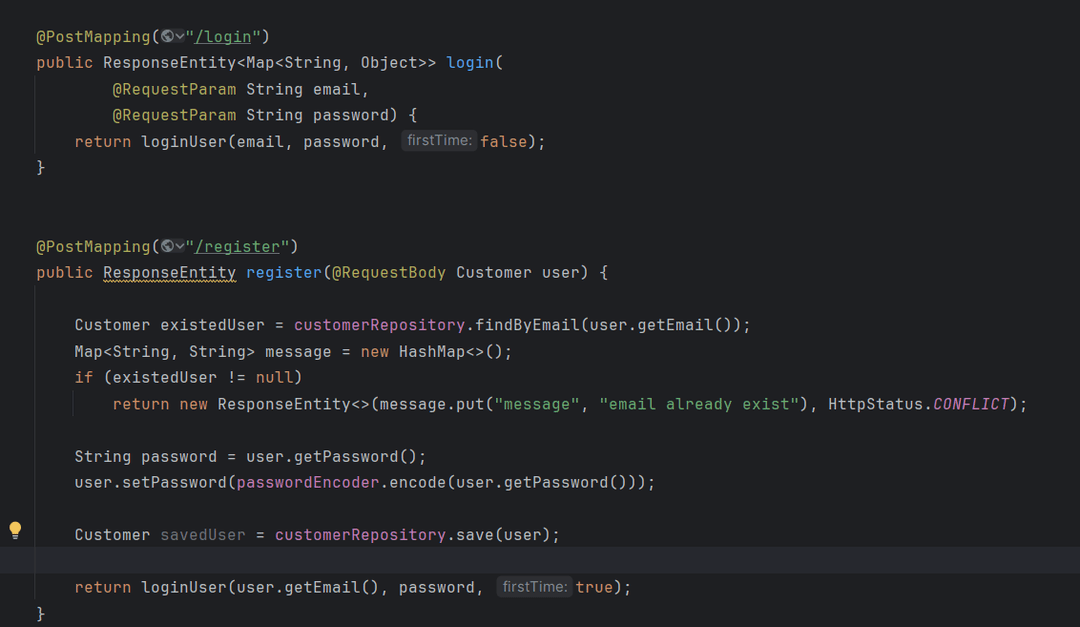
These are some basic methods but they call the loginUser

It firsts authenticate the user then it starts building the JWT
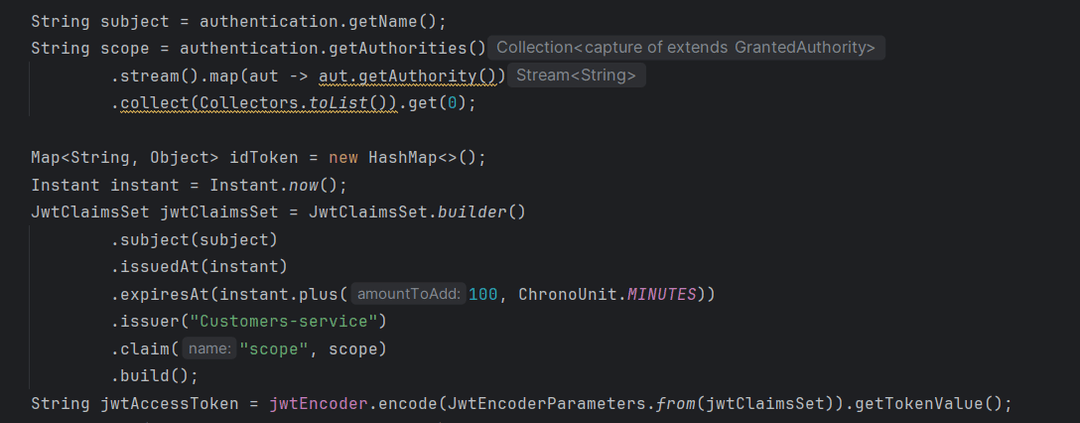
Now let’s run the service and see if it is working:
**Hint:**For the sake of the demo we used as a database the h2 database and for names we named the user service as customers service.
Now for the moment of truth we used postman as a tool to test our endpoints:
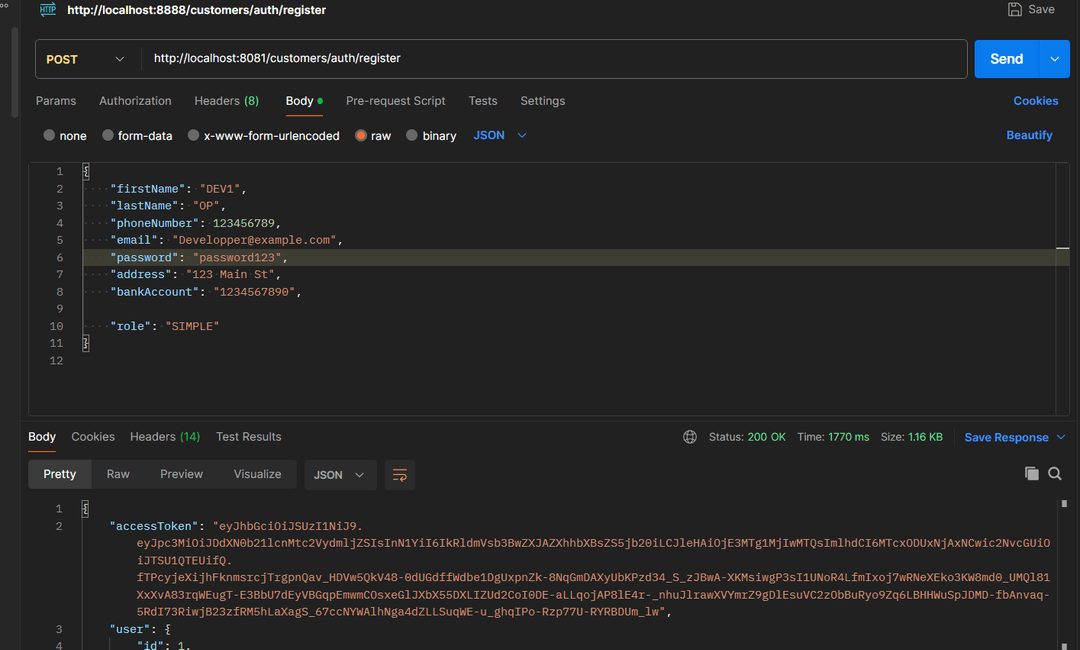
As you can clearly see our method has successfully passed 😁
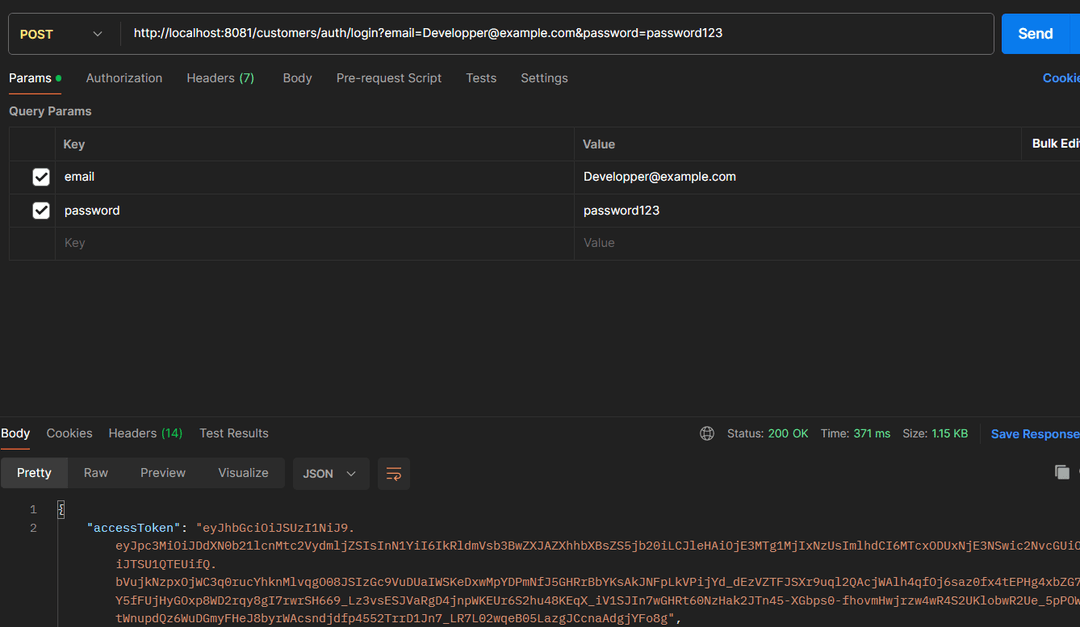
Let’s try out the login
Now let’s try out a simple endpoint and see if we can access it without the token
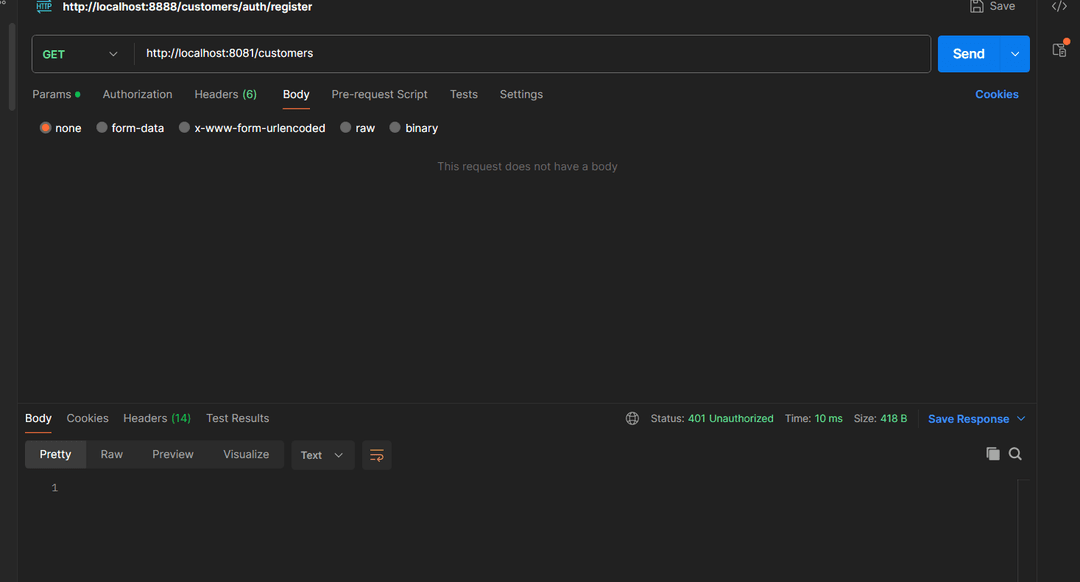
As you can see we cannot access the resource.
What if we added the token
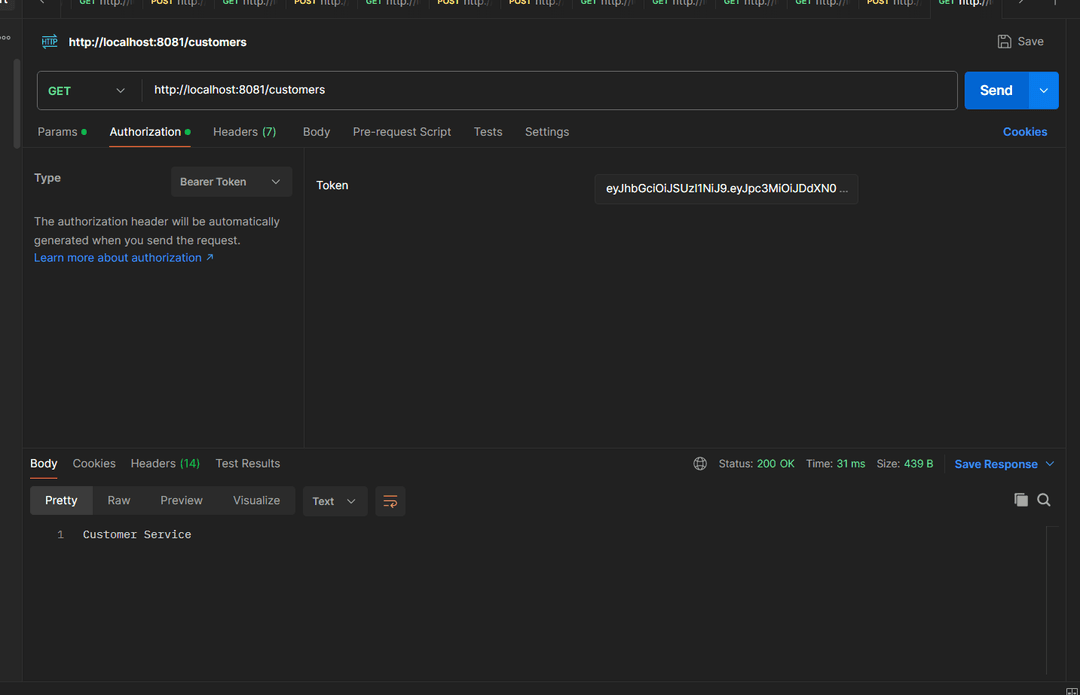
Well things seem to be working fine.
Now let’s see the roles.
We have added two methods dedicated to the roles within our application
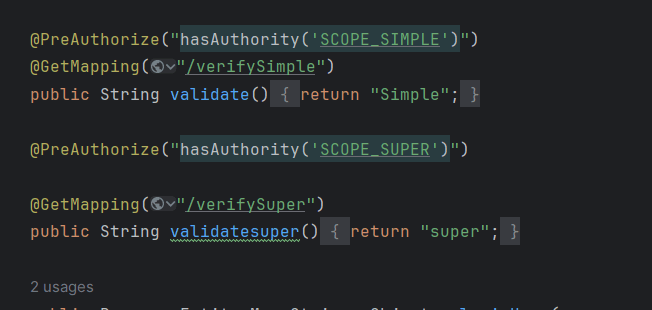
For the user we have registered , he had a simple role, lets test things out
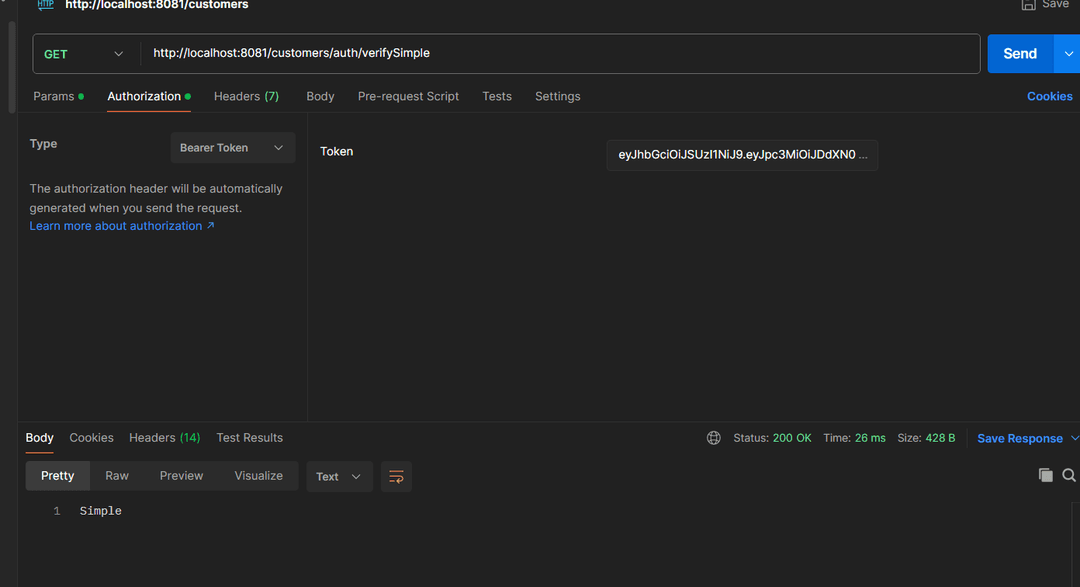
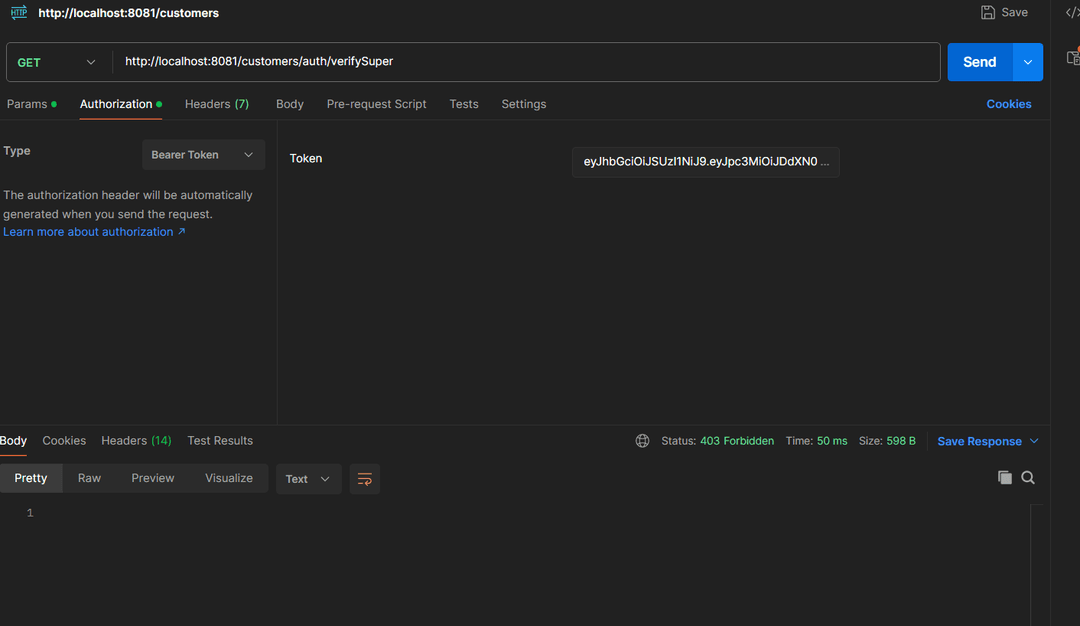
Well the first method seems to be working well thanks to the simple role however for the super role we receive 403 code which indicates that we cannot access the resource:
Now let’s try to test the service using the gateway port
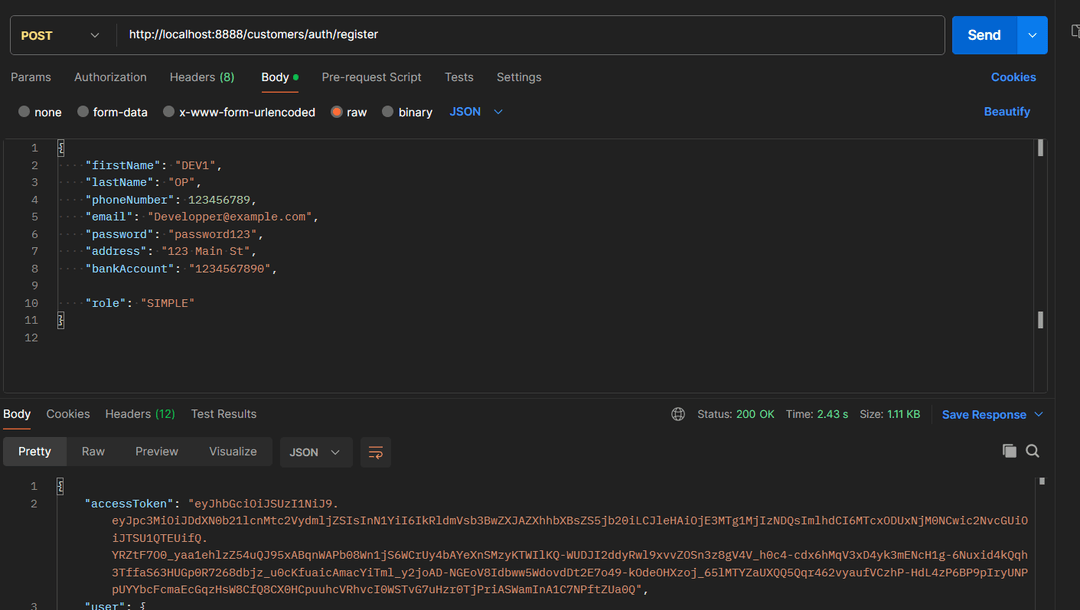
Well we can say that our authentication mechanism has been implemented successfully however we are not done here.
We need to go to the other services and add the necessary configurations;
First we need to copy and past the public key file into the other services
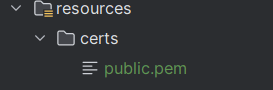
As for the configuration file we will make some slight changes by eliminating the encoder method and changing the filter chain method so that all the requests must be authenticated without any exception
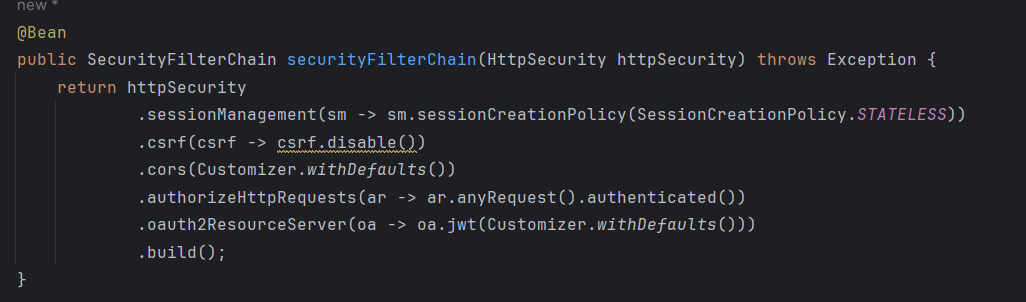
And now let’s test the services 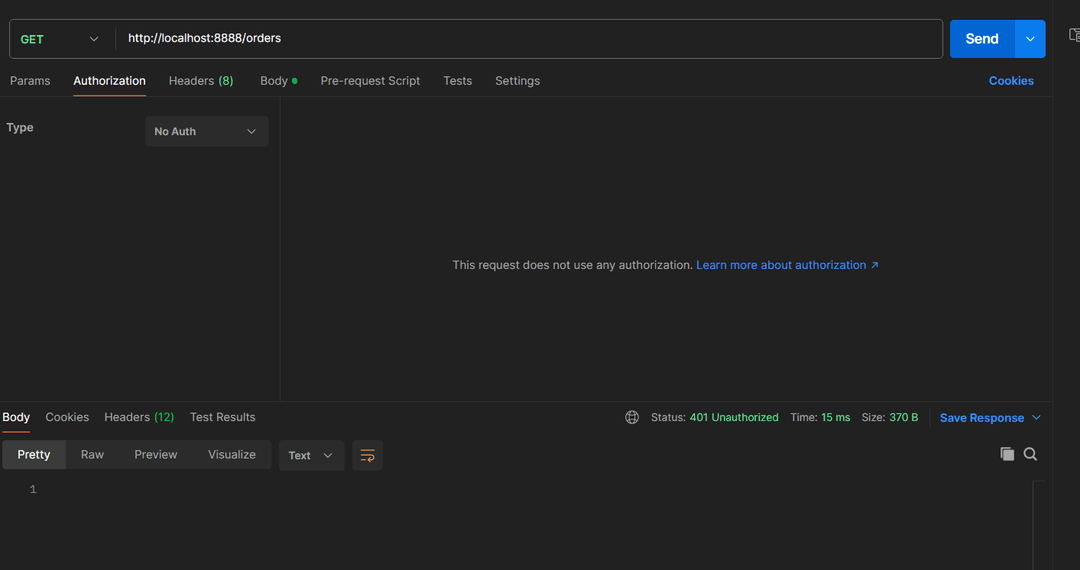
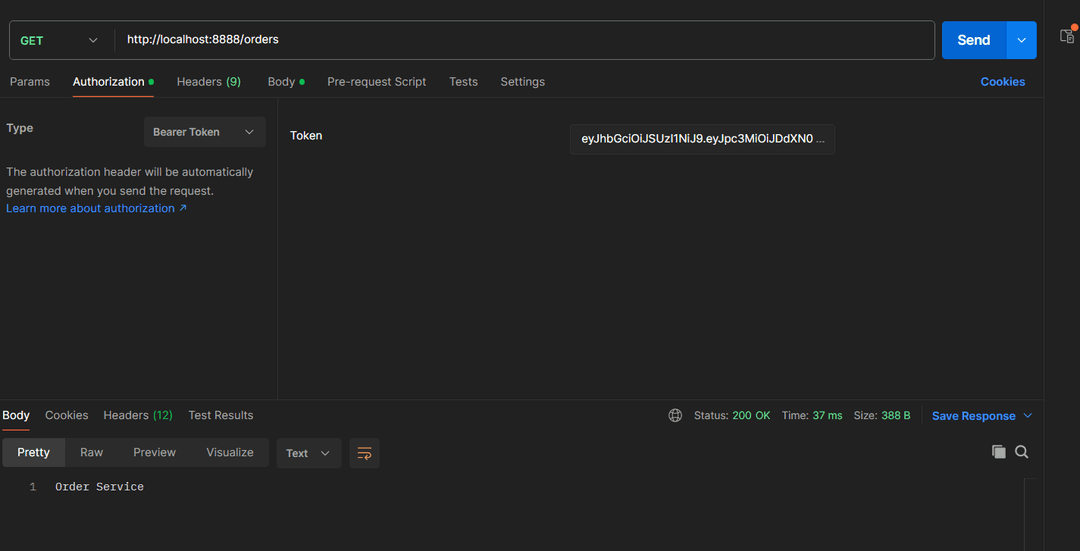
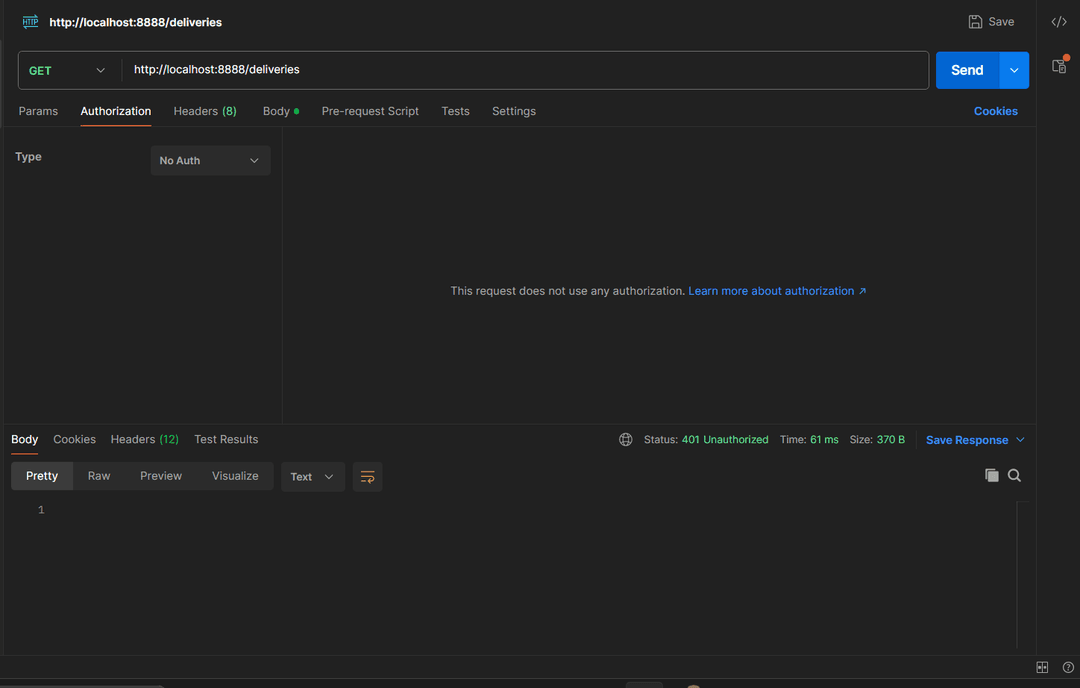
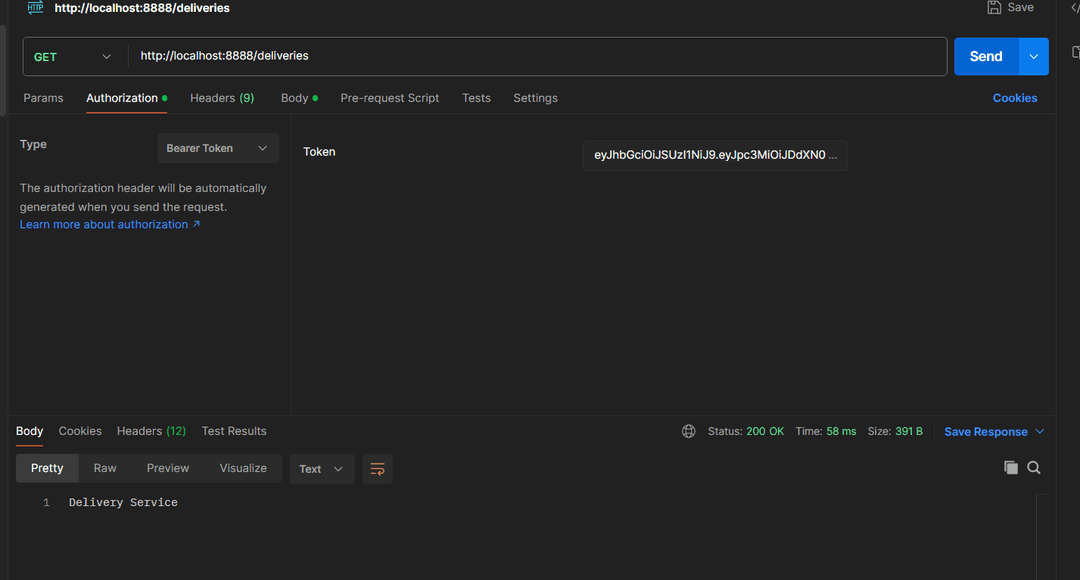
Well as you could clearly see, things are working just fine.
Internal communication in microservices:
As you may know microservices tend to communicate with each other in order to request some resources from other services and that is why we need to take into consideration sending the token for the internal communication
For our case since we are using spring boot , we will be using the FeignClient dependency that will make things much easier.
Let us imagine that there is a request going between the order service and the delivery service (The order service will need some ressource from the delivery service)
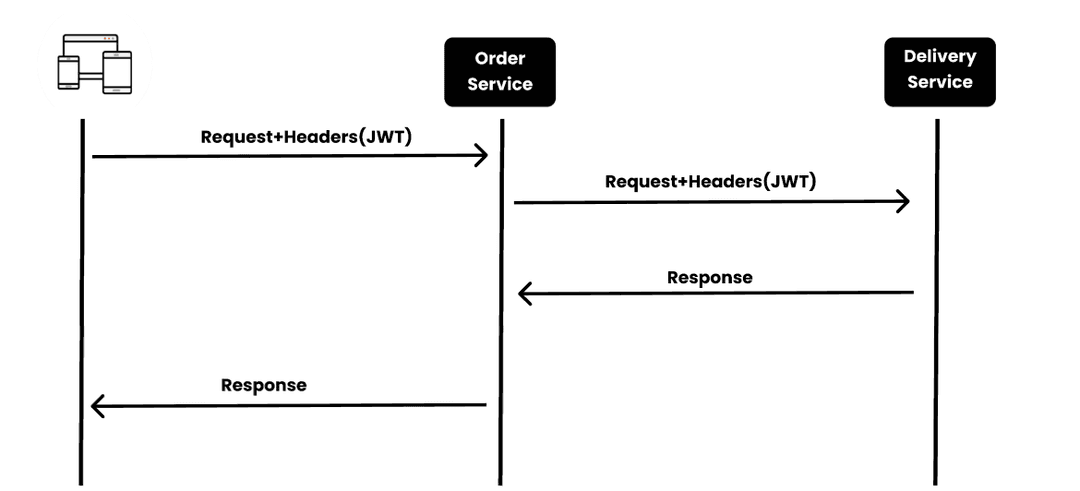
So the main job will be to include the request coming from the client into the header of the frequent coming from the order service .
Let us see the demo
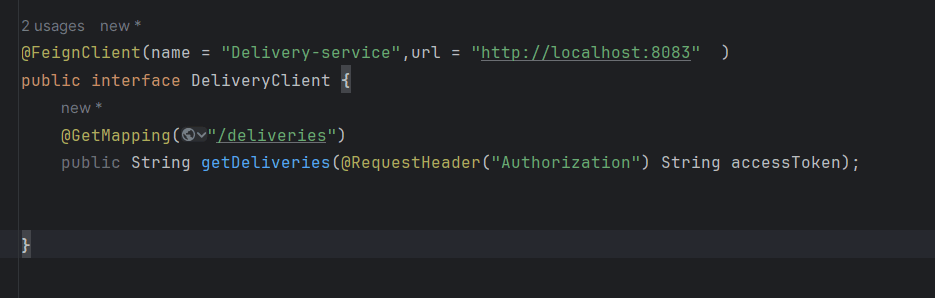
First we define our feign client interface then in our method we include the access token in the header.
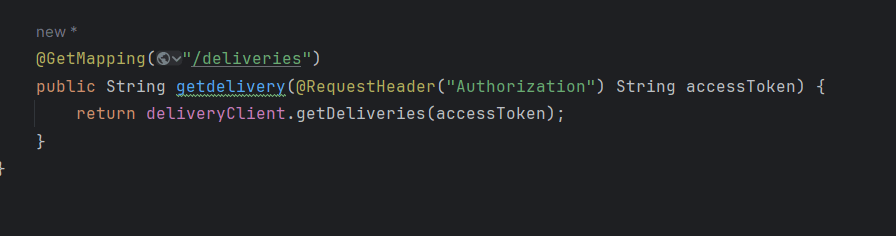
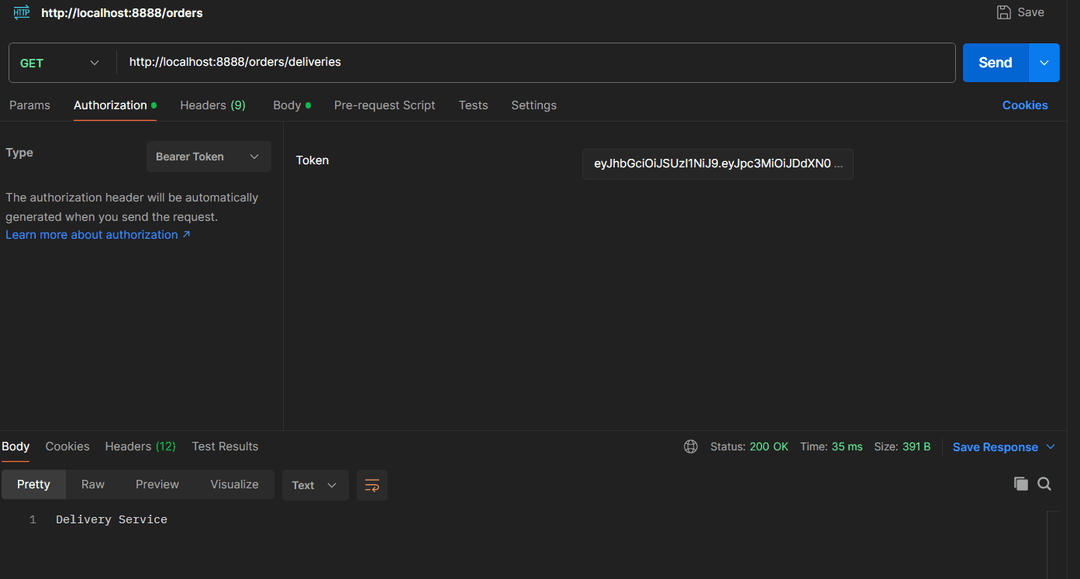
Let’s see the test
Microservices and security : Enhancements
From our previous demo, we could improve our security and add an extra layer of protection by using vault which is a powerful tool that can protect our sensitive data and provides many features like encryption,etc…In our case ,We will store our private key in Vault.
Things should look like this:
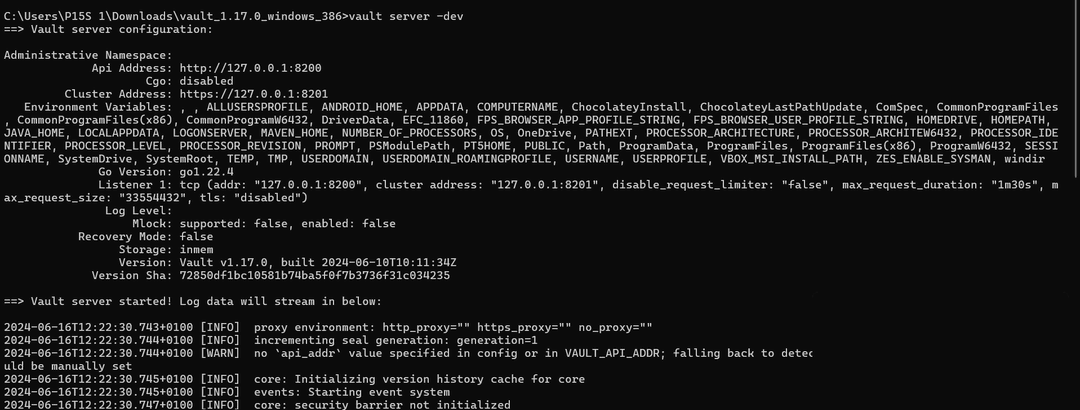
Well first we need to have it installed within our machine,So you could just check their official website.Once installed we will try and access the main file of the Vault folder and run the command to start the Vault server
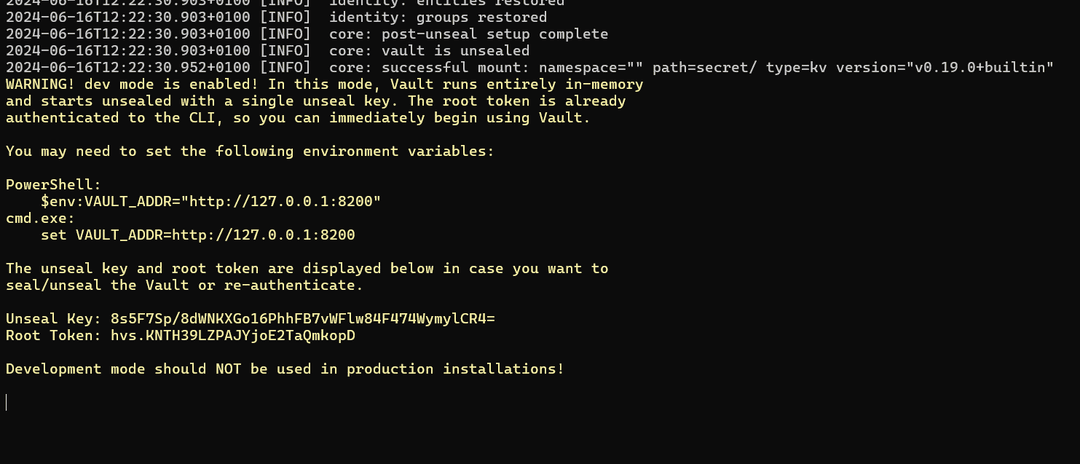
The token used here should be included in the authentication
UI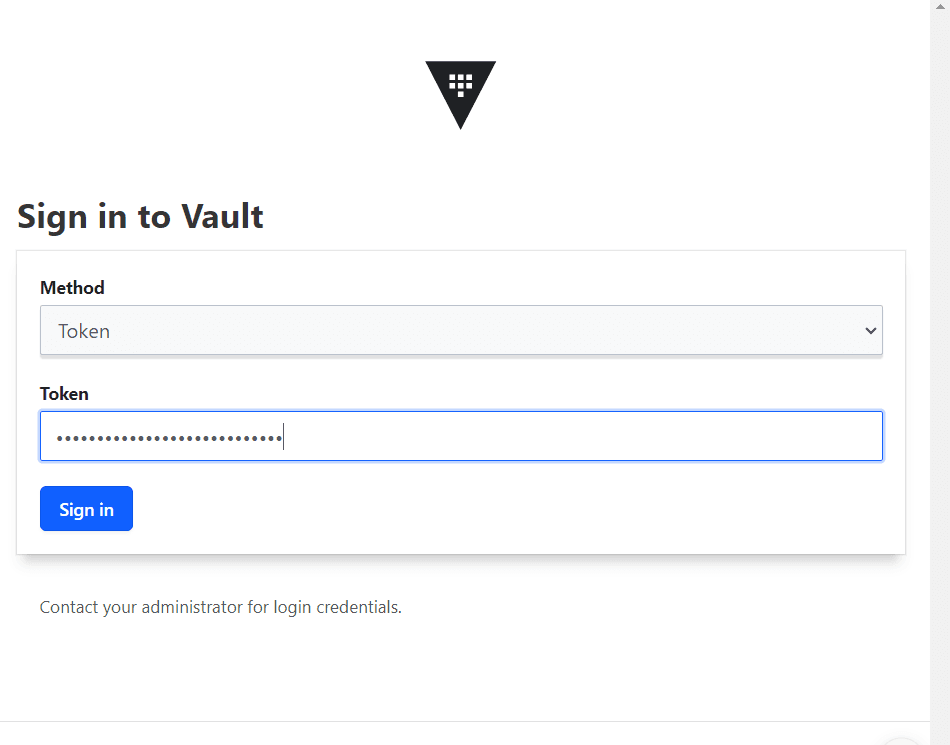
Once signed up we can go to the Secrets service and create our own secret which will be the private key for our case
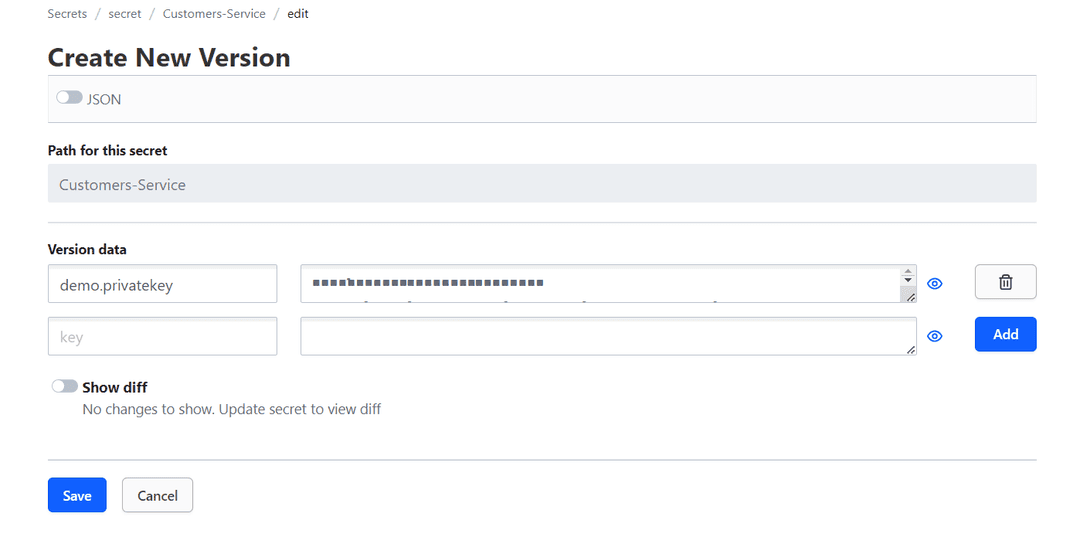
For the path , it is recommended to specify the name of the application(name of the microservice we will be using)
Now let’s pass to our customers microservice and add the necessary dependency

Then let’s move on to the application.properties file to add the necessary configuration to make it with vault
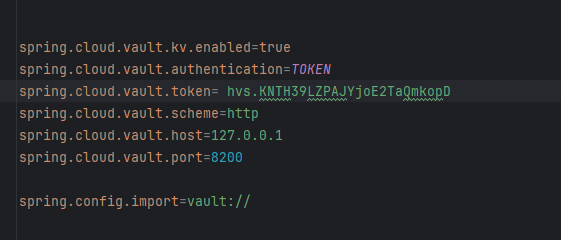
Well nothing mysterious here where we only add the port as well as the address and the token to make the connection with the vault server
Last thing to add is a configuration file
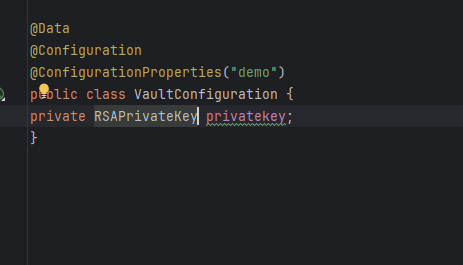
This config will help us retrieve the private key from the secret for the demo annotation , it is only used to specify the first part of the name of the secret
Finally we can make the change in the security config

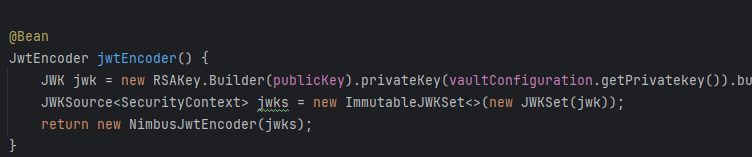
Now let’s test things out in postman
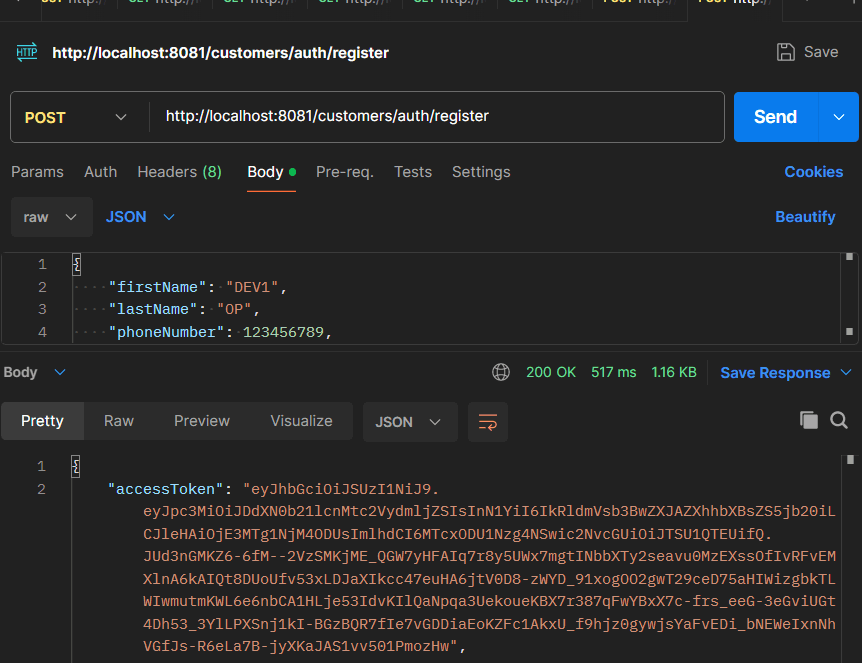
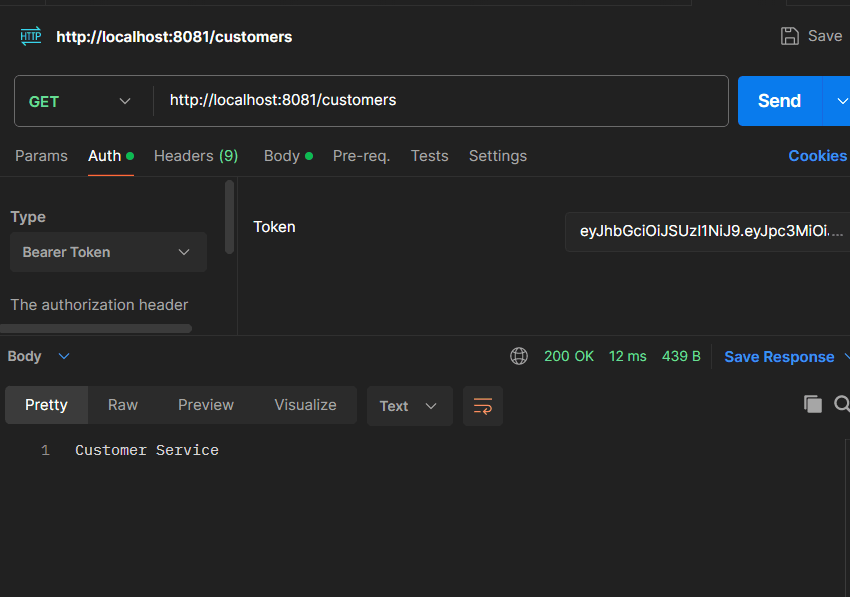
Well Things to be working just fine
Conclusion
During this blog we managed to see a lot of things within the security layer:a fundamental part within each software. However, as long as the methods of hacking have become more and more sophisticated , the responsibility of us developers is to enhance our protection toward our applications and to be aware that securing our code must be a part taken into consideration while developing.
There are many other wonderful tools that we can use to enhance the security of microservices like keycloak and also some advanced ways of using the JWT that we will try to discover in future blogs.
Stay tuned!!!